Multivariate Analysis

Brown Forsythe Test: Formula, P Value, Interpretation, R, Python, SPSS and Excel Guide 1

Brown Forsythe Test guide with formula, p-value interpretation, homogeneity of variance, R, Python, SPSS and Excel analysis
Advertisement
Google AdSense Top placement reserved here

Assumption Testing and Variance Homogeneity

Brown Forsythe Test is a robust method for checking whether two or more independent groups have equal variances. This guide explains the Brown Forsythe Test formula, null hypothesis, p-value interpretation, Brown Forsythe vs Levene Test comparison, and practical workflows in R, Python, SPSS and Excel using real student-por.csv results. The formal academic spelling is often Brown-Forsythe Test, but this guide uses Brown Forsythe Test as the main keyword because most readers search without the hyphen.

Advertisement
Google AdSense top placement reserved here

Quick Answer: Brown Forsythe Test Result

The Brown Forsythe Test checks whether group variances are equal. In this student-por.csv example, the test compares G3 final grade variance across four studytime groups. The verified result is F(3, 645) = 1.0263, p = 0.3804. Since the p-value is greater than 0.05, the analysis does not find strong evidence that G3 variance differs across studytime groups.

Brown Forsythe Test Overview

The Brown Forsythe Test is mainly used as a robust test of homogeneity of variance. In ordinary one-way ANOVA, researchers often assume that the groups have approximately equal population variances. If this assumption is badly violated, the ordinary ANOVA p-value can become less reliable, especially when the group sizes are unequal.

This post uses student-por.csv, a real student performance dataset. The outcome variable is G3, which represents the final grade. The grouping variable is studytime, a four-level category describing weekly study time. The research question is simple but useful: Does the variance of final grades differ across studytime groups?

OutcomeG3
Group variablestudytime
Sample size649
Verified softwareR, Python, SPSS

The final result is stable across all verified software. R, Python and SPSS all show the same Brown Forsythe Test conclusion: there is no strong evidence that the variance of G3 differs across studytime groups.

What Is the Brown Forsythe Test?

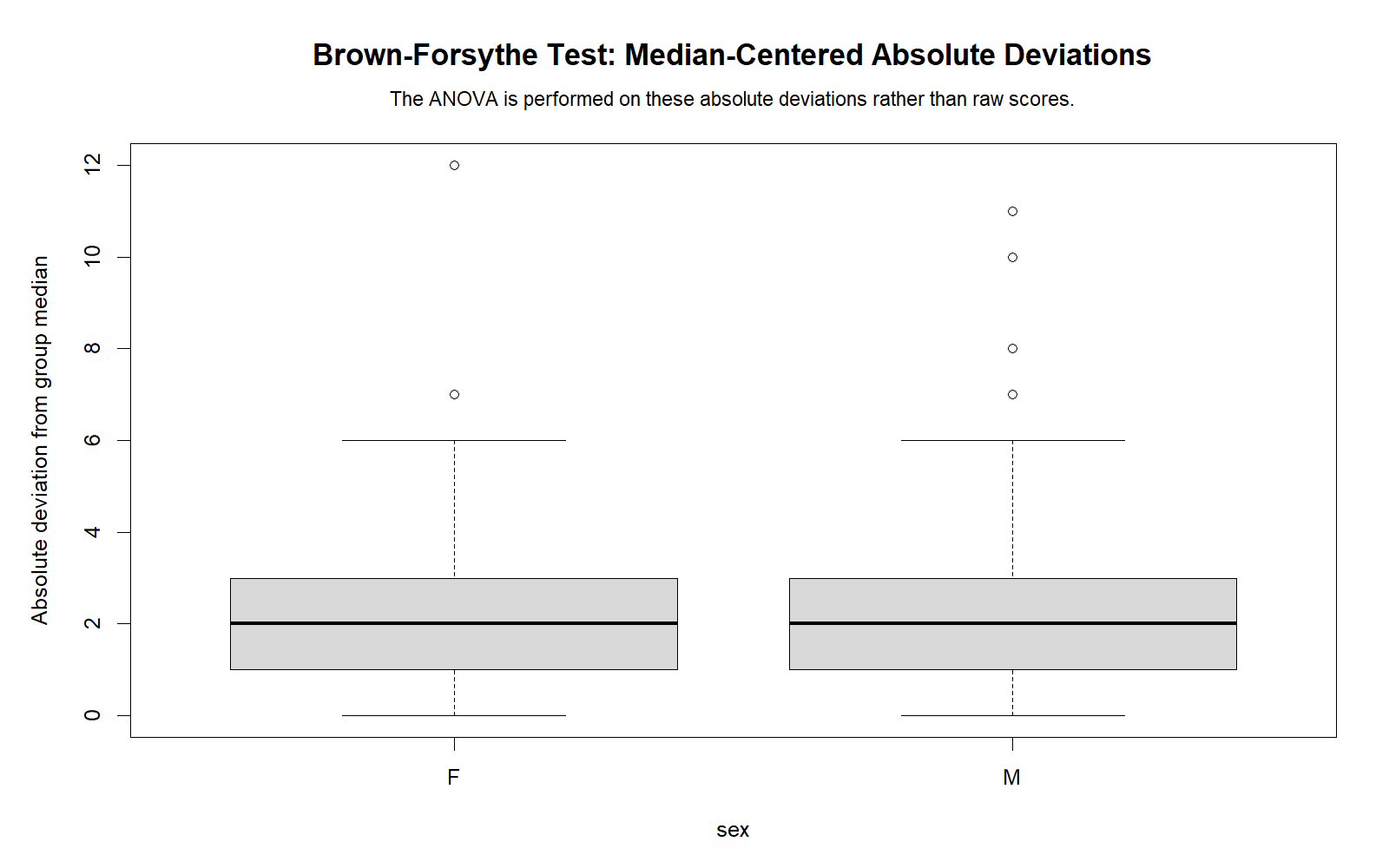
The Brown Forsythe Test is a median-centered version of a Levene-type test. Instead of comparing the raw values directly, the method first converts every observation into its absolute deviation from the group median. Then it runs a one-way ANOVA on those transformed deviation values.

In simple language: the Brown Forsythe Test asks whether one group is much more spread out than the others.

This is why the Brown Forsythe Test is useful in educational research, psychology, business analytics, medical data, social sciences and exam-score analysis. Real datasets are often not perfectly normal. Some groups may contain outliers, skewed values or unequal sample sizes. Brown Forsythe is usually more practical than Bartlett’s test when normality is uncertain.

Brown Forsythe Test Formula

The main Brown Forsythe transformation is:

zᵢⱼ = | yᵢⱼ - median(yⱼ) |

Here, yᵢⱼ is the original value for observation i in group j. The expression median(yⱼ) is the median of group j. The transformed value zᵢⱼ is the absolute distance between the observation and its own group median.

After this transformation, a one-way ANOVA is performed on the transformed values. If the mean absolute deviations are significantly different across groups, the test suggests unequal variances. If they are not significantly different, the test does not find strong evidence of unequal variances.

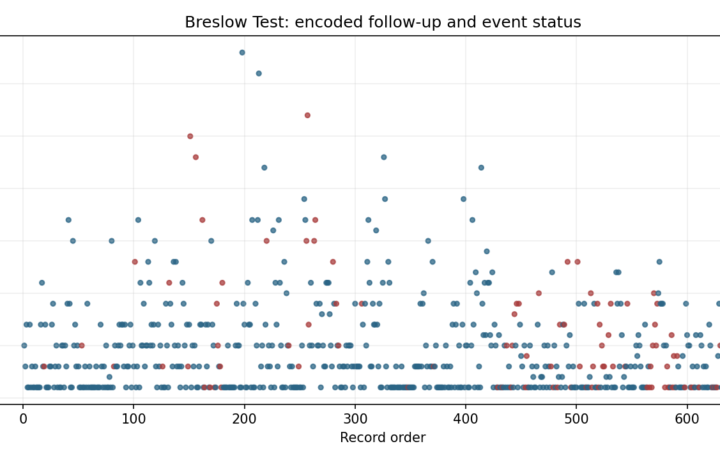
Brown Forsythe Test transformed values showing absolute deviations from group medians for G3 by studytime
Brown Forsythe Test transformed values: absolute deviations from each studytime group’s median G3 score.

Brown Forsythe Test Null Hypothesis and Alternative Hypothesis

The hypotheses are easy to remember because the Brown Forsythe Test is about variances, not means.

Hypothesis Meaning Decision rule
H0 The population variances are equal across the groups. If p-value is 0.05 or greater, do not reject equal variances.
H1 At least one group variance differs from another group variance. If p-value is less than 0.05, reject equal variances.

In this example, the Brown Forsythe Test p-value is 0.3804. Since this value is greater than 0.05, the correct decision is to not reject the equal-variance assumption.

Brown Forsythe vs Levene Test

The Brown Forsythe Test and Levene Test are closely related. The common difference is the center used to measure deviations. A mean-centered Levene Test uses distances from group means. The Brown Forsythe version uses distances from group medians.

Test Center used Best use
Levene Test Mean Useful when distributions are roughly symmetric.
Brown Forsythe Test Median More robust when data are skewed or contain outliers.
Trimmed-mean Levene version Trimmed mean Useful as another robust compromise.

In the verified SPSS output, the homogeneity table shows all these versions. The row Based on Median is the Brown Forsythe-style result.

Advertisement
Google AdSense middle placement reserved here

Dataset and Variables Used

This Brown Forsythe Test example uses student-por.csv. The verified Python result file shows 649 rows, 33 columns and 0 missing cells. The main outcome is G3, and the main grouping variable is studytime.

Variable Type Use in this guide Meaning
G3 Numeric Outcome variable Final grade from 0 to 20.
studytime Ordered categorical Main grouping variable Weekly study time group.
sex Nominal Secondary check Student sex category.
internet Nominal Secondary check Home internet access.
higher Nominal Secondary check Desire for higher education.
schoolsup Nominal Secondary check Extra school educational support.
famsup Nominal Secondary check Family educational support.

External data source: UCI Machine Learning Repository: Student Performance dataset.

Verified Brown Forsythe Test Results

The Brown Forsythe Test was run in R, Python and SPSS. All three workflows produced the same result.

Final report sentence: A Brown Forsythe homogeneity-of-variance test was conducted to compare the variance of G3 final grades across studytime groups. The result was F(3, 645) = 1.0263, p = 0.3804. Because p ≥ 0.05, the analysis did not find strong evidence that G3 variance differs across studytime groups.

Group Summary for G3 by Study Time

Studytime group N Mean G3 Median G3 SD Variance Min Max
1: <2 hours 212 10.84 11 3.22 10.36 0 18
2: 2 to 5 hours 305 12.09 12 3.24 10.52 0 19
3: 5 to 10 hours 97 13.23 13 2.50 6.26 8 18
4: >10 hours 35 13.06 13 3.04 9.23 6 19

Brown Forsythe Main Result

Test Outcome Group variable Statistic df1 df2 p-value Decision
Brown Forsythe homogeneity-of-variance test G3 studytime 1.0263 3 645 0.3804 Do not reject equal variances

P-Value Comparison with Other Variance Tests

Variance test Statistic p-value Interpretation
Brown Forsythe median 1.0263 0.3804 Does not reject equal variances.
Levene mean 0.9845 0.3995 Does not reject equal variances.
Bartlett 9.4627 0.0237 Rejects equal variances.
Fligner-Killeen 3.9943 0.2621 Does not reject equal variances.

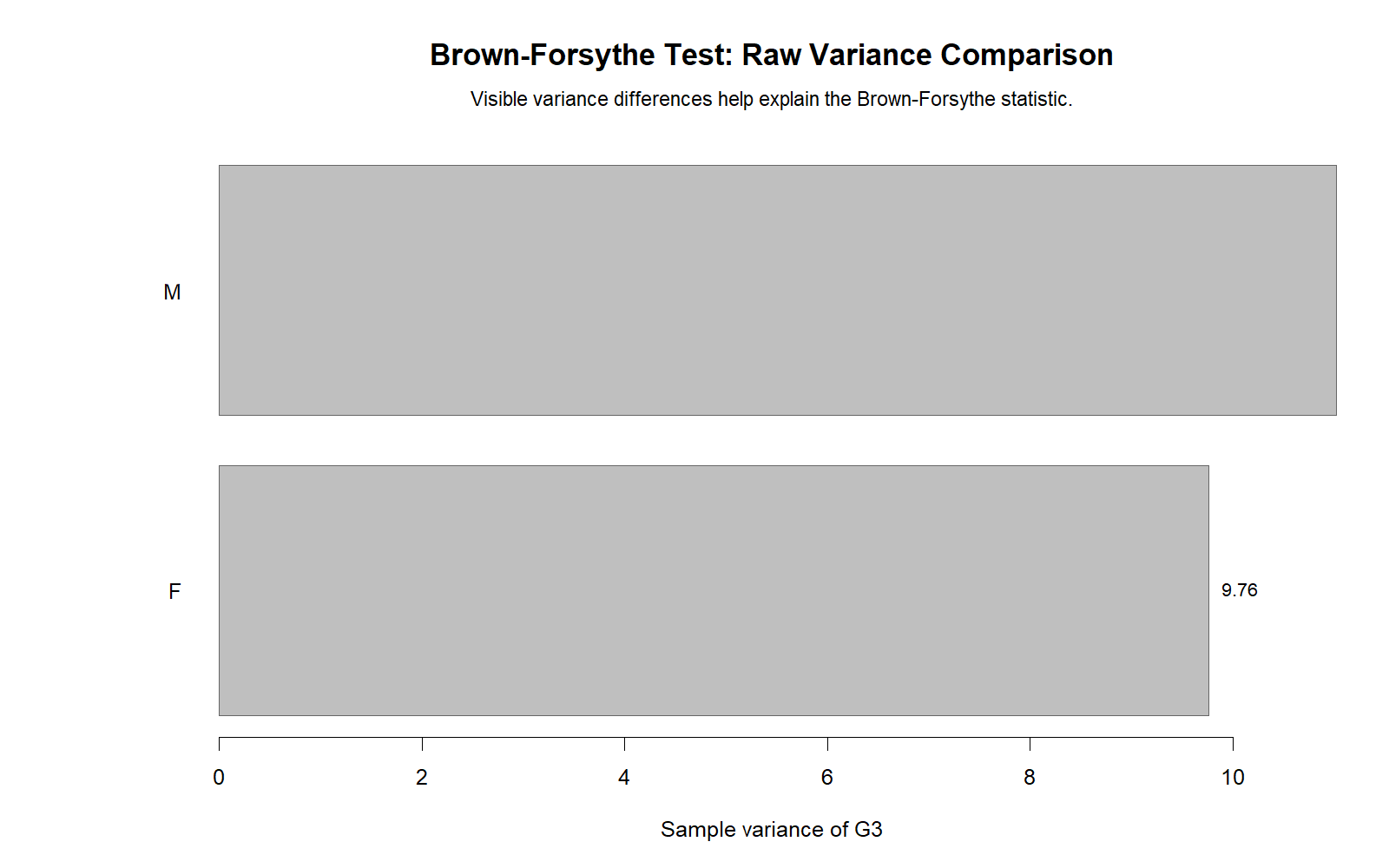
The comparison is important. Bartlett gives a significant p-value, but Brown Forsythe, Levene and Fligner-Killeen do not. This is a useful real example showing why Bartlett can be too sensitive when normality is uncertain.

Brown Forsythe Test Result Images

Brown Forsythe Test boxplot showing G3 final grade distribution across studytime groups
Boxplot of G3 final grades across studytime groups before applying the Brown Forsythe homogeneity-of-variance test.

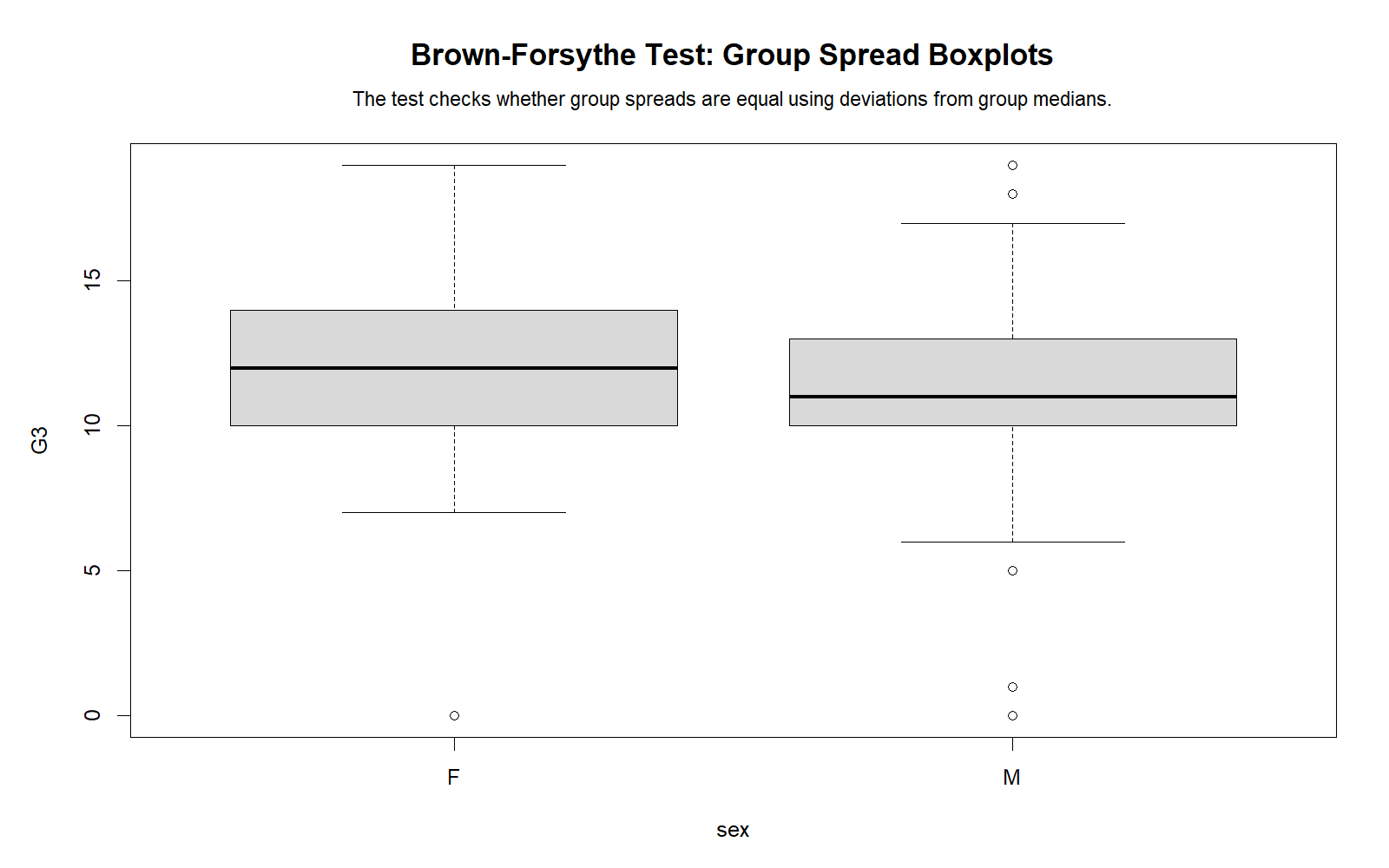
The boxplot shows that final grades generally rise as studytime increases, but this chart alone does not prove that group variances are unequal. It is a visual support chart, while the Brown Forsythe p-value gives the formal variance result.

Brown Forsythe Test absolute deviation chart for G3 final grades by studytime
Absolute deviations from studytime group medians used in the Brown Forsythe Test.
Standard deviation bar chart for G3 final grades across studytime groups in the Brown Forsythe Test
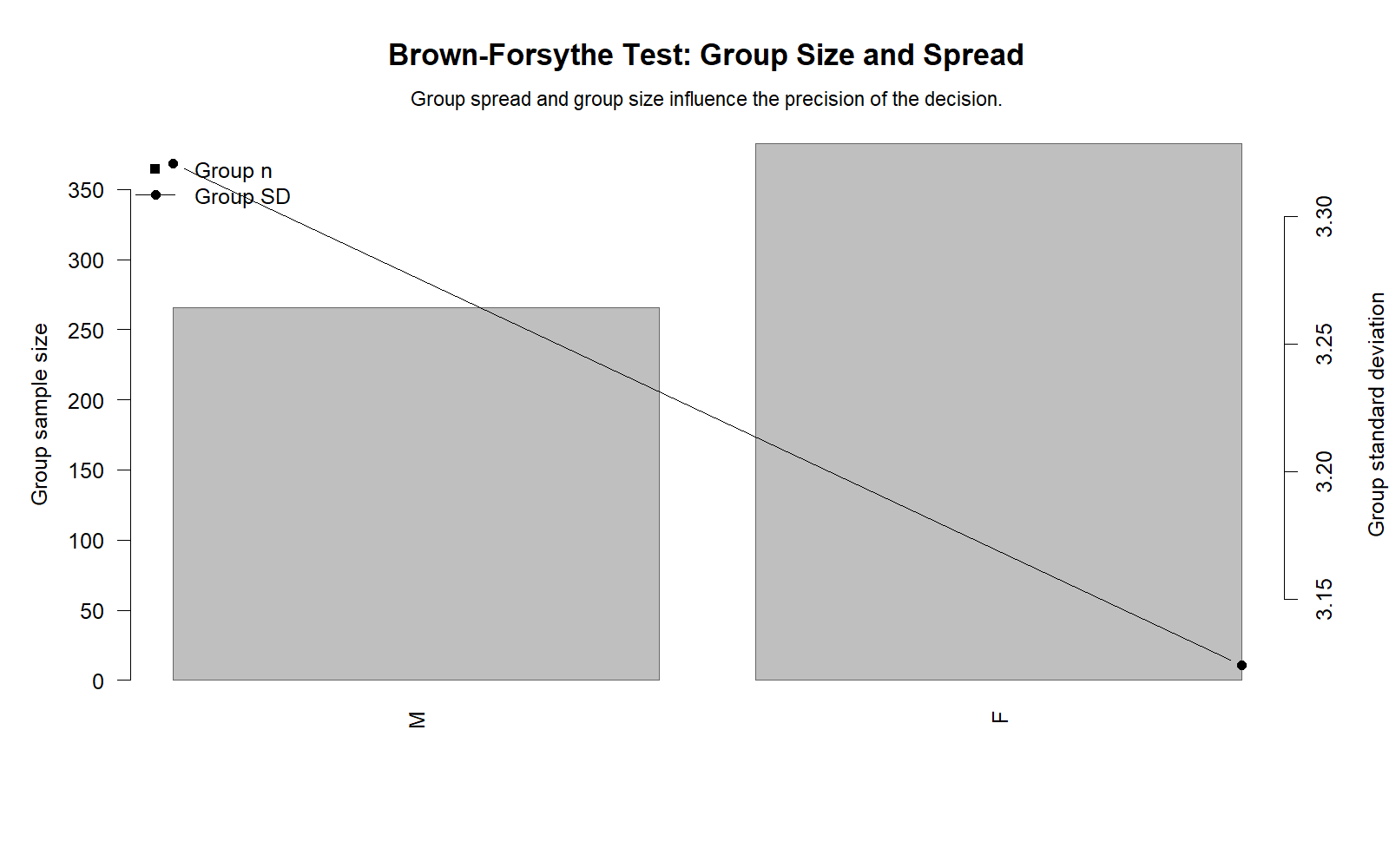
Standard deviations of G3 final grades across studytime groups.
P-value comparison chart for Brown Forsythe Levene Bartlett and Fligner variance tests
P-value comparison for Brown Forsythe, Levene, Bartlett and Fligner-Killeen variance tests.

The p-value comparison chart helps explain the main methodological point. Brown Forsythe is not significant, Levene is not significant and Fligner-Killeen is not significant, while Bartlett is significant. This makes the article stronger than a generic definition page because it shows how different variance tests behave on the same real dataset.

Additional Uploaded Verification Charts

The following additional uploaded charts are included as supporting visual assets. They help document the analysis workflow and give readers more confidence that the result was generated from actual software output rather than only written as theory.

Additional Brown Forsythe absolute deviation chart for G3 final grades by studytime
Additional Brown Forsythe absolute-deviation output showing the transformed G3 spread values by studytime group.
Additional p-value comparison output for Brown Forsythe Levene Bartlett and Fligner tests
Additional p-value comparison output for Brown Forsythe, Levene, Bartlett and Fligner-Killeen tests.
Additional standard deviation chart for G3 across studytime groups
Additional standard deviation chart for G3 final grades across studytime groups.

Brown Forsythe Test in R

In R, the Brown Forsythe Test can be calculated manually by converting each G3 value into an absolute deviation from its studytime group median, then running one-way ANOVA on those transformed values.

student <- read.csv("student-por.csv", sep = ";", stringsAsFactors = FALSE)

student$G3 <- as.numeric(student$G3)
student$studytime <- as.factor(student$studytime)

group_medians <- tapply(student$G3, student$studytime, median)
student$bf_abs_dev_G3 <- abs(student$G3 - group_medians[as.character(student$studytime)])

bf_model <- aov(bf_abs_dev_G3 ~ studytime, data = student)
summary(bf_model)

The verified R output gives F(3, 645) = 1.0263 and p = 0.3804.

Brown Forsythe Test in Python

In Python, the median-centered Brown Forsythe version can be run with scipy.stats.levene using center=”median”.

import pandas as pd
from scipy import stats

student = pd.read_csv("student-por.csv", sep=";")

groups = [
    student.loc[student["studytime"] == 1, "G3"],
    student.loc[student["studytime"] == 2, "G3"],
    student.loc[student["studytime"] == 3, "G3"],
    student.loc[student["studytime"] == 4, "G3"]
]

stat, p = stats.levene(*groups, center="median")

print(stat, p)

The verified Python result is statistic = 1.026312 and p = 0.380358, matching the R and SPSS outputs.

Secondary Brown Forsythe Checks from Python

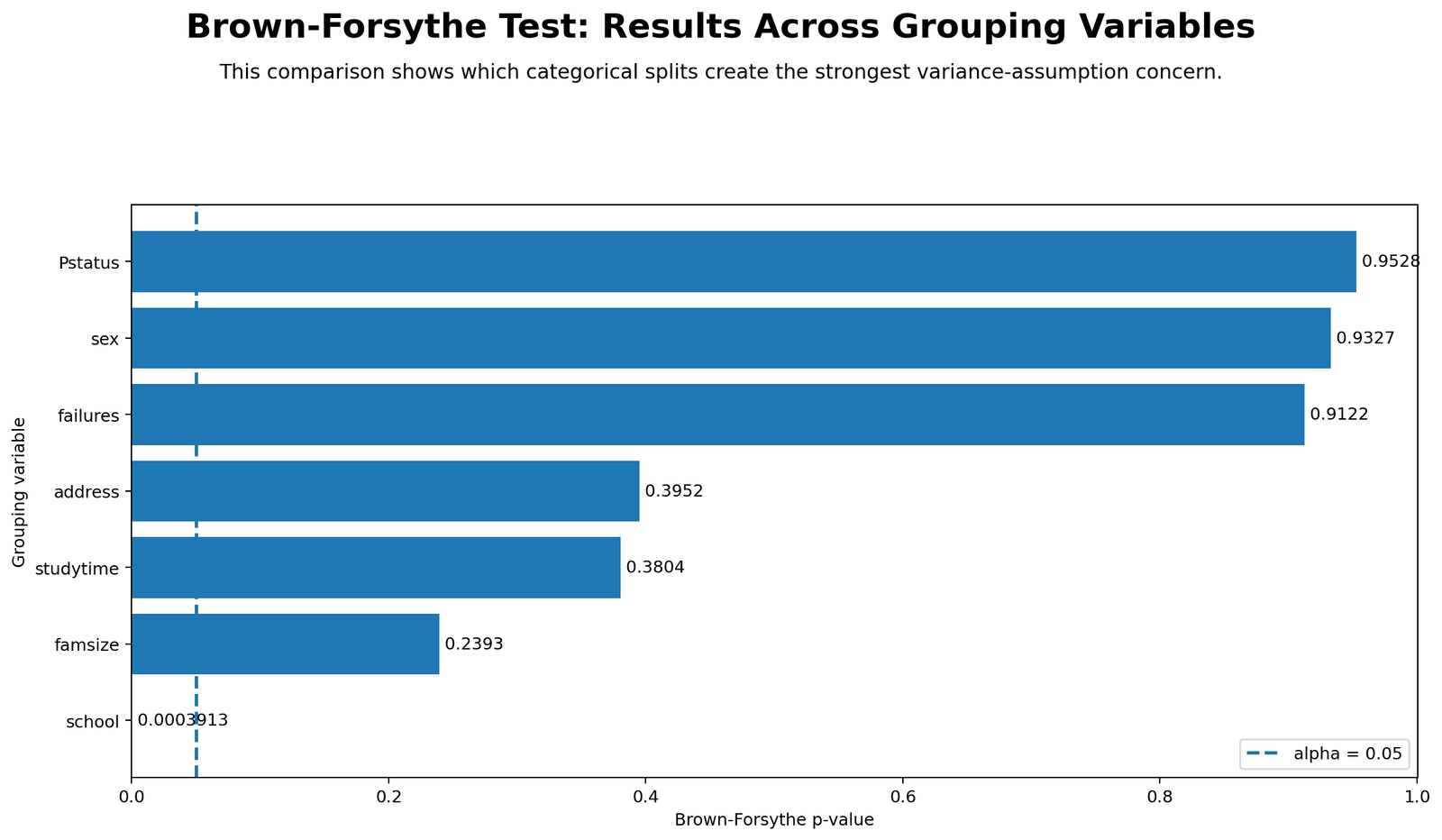
Grouping variable Statistic df1 df2 p-value Decision
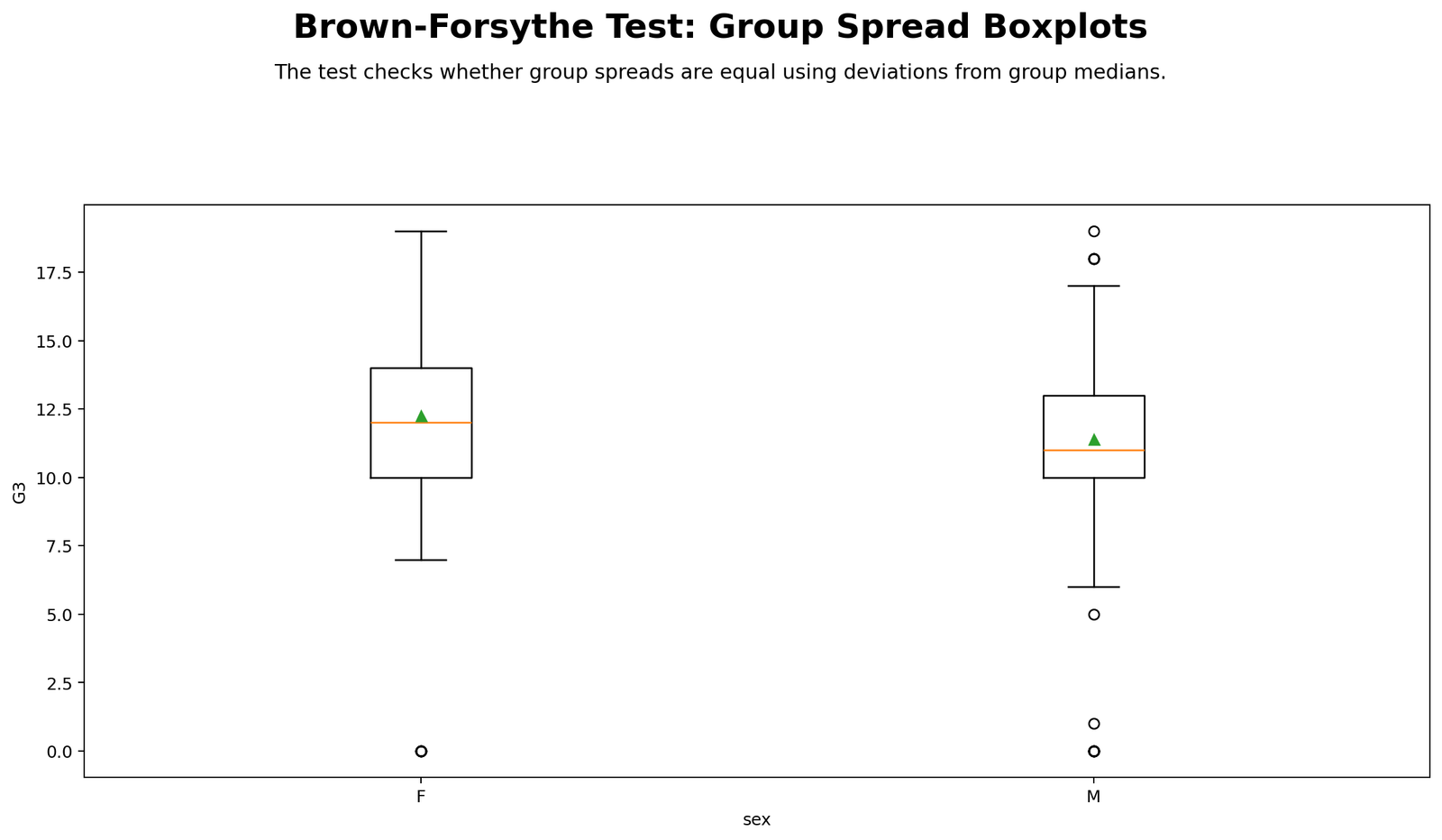
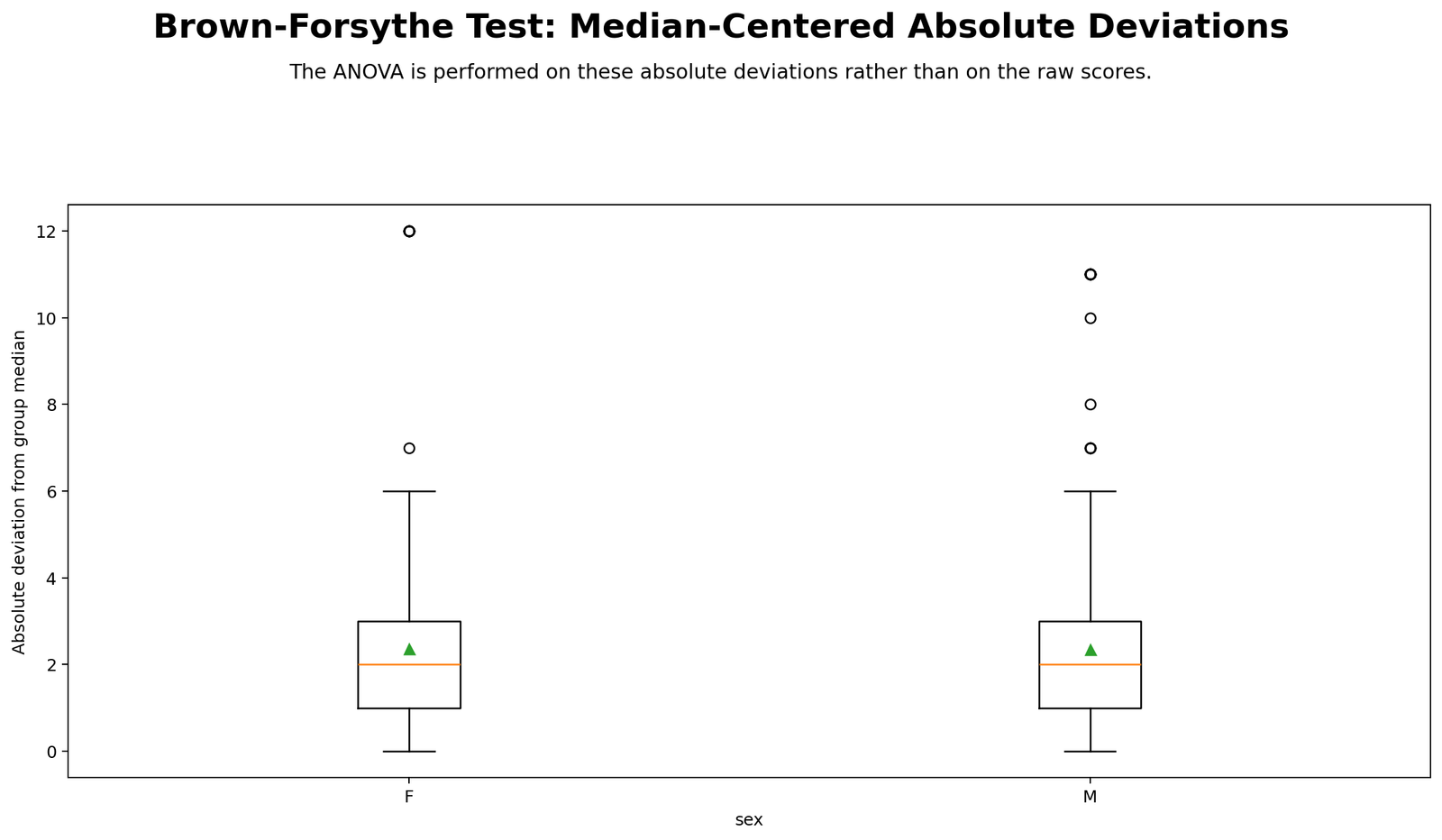
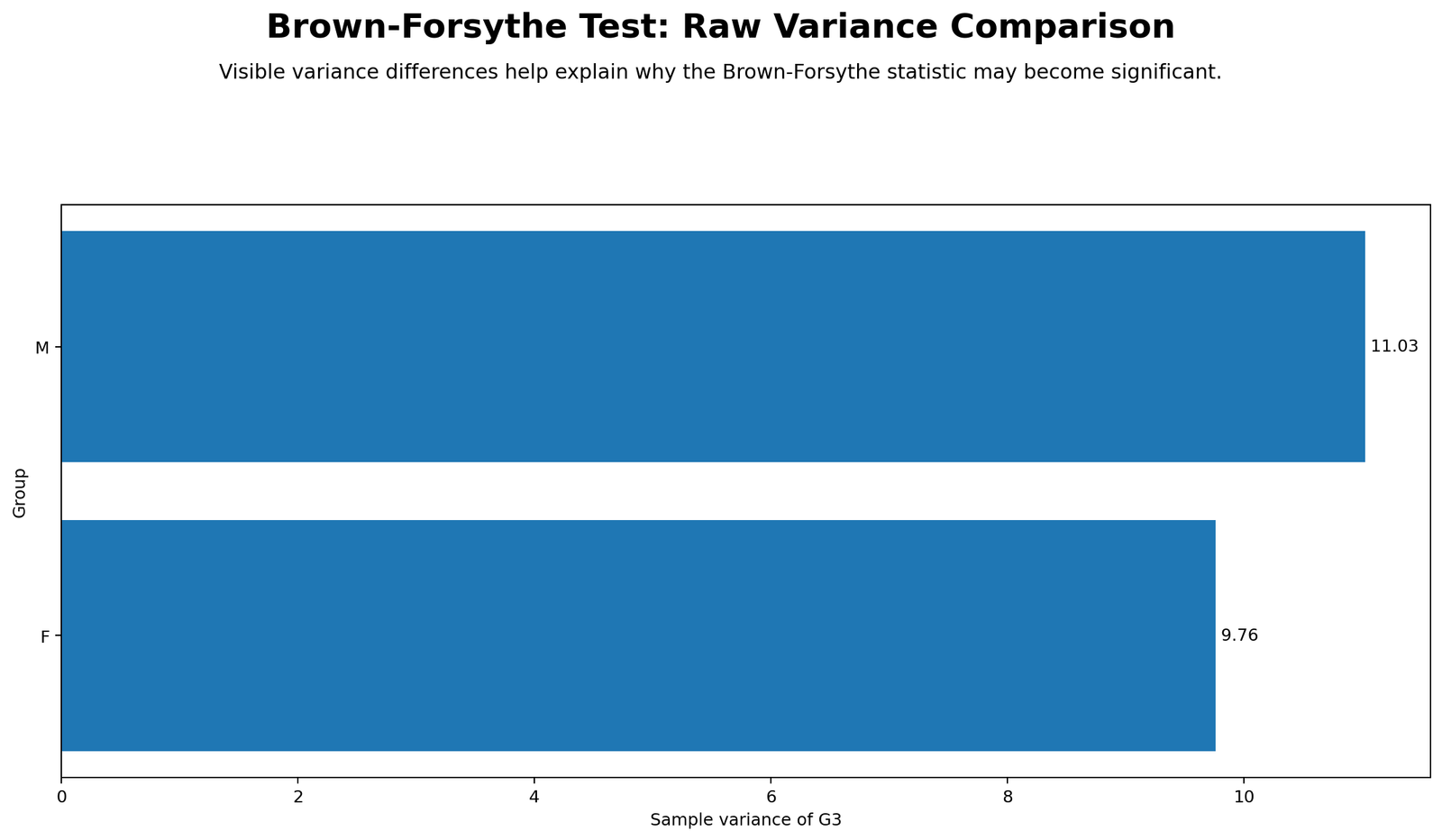
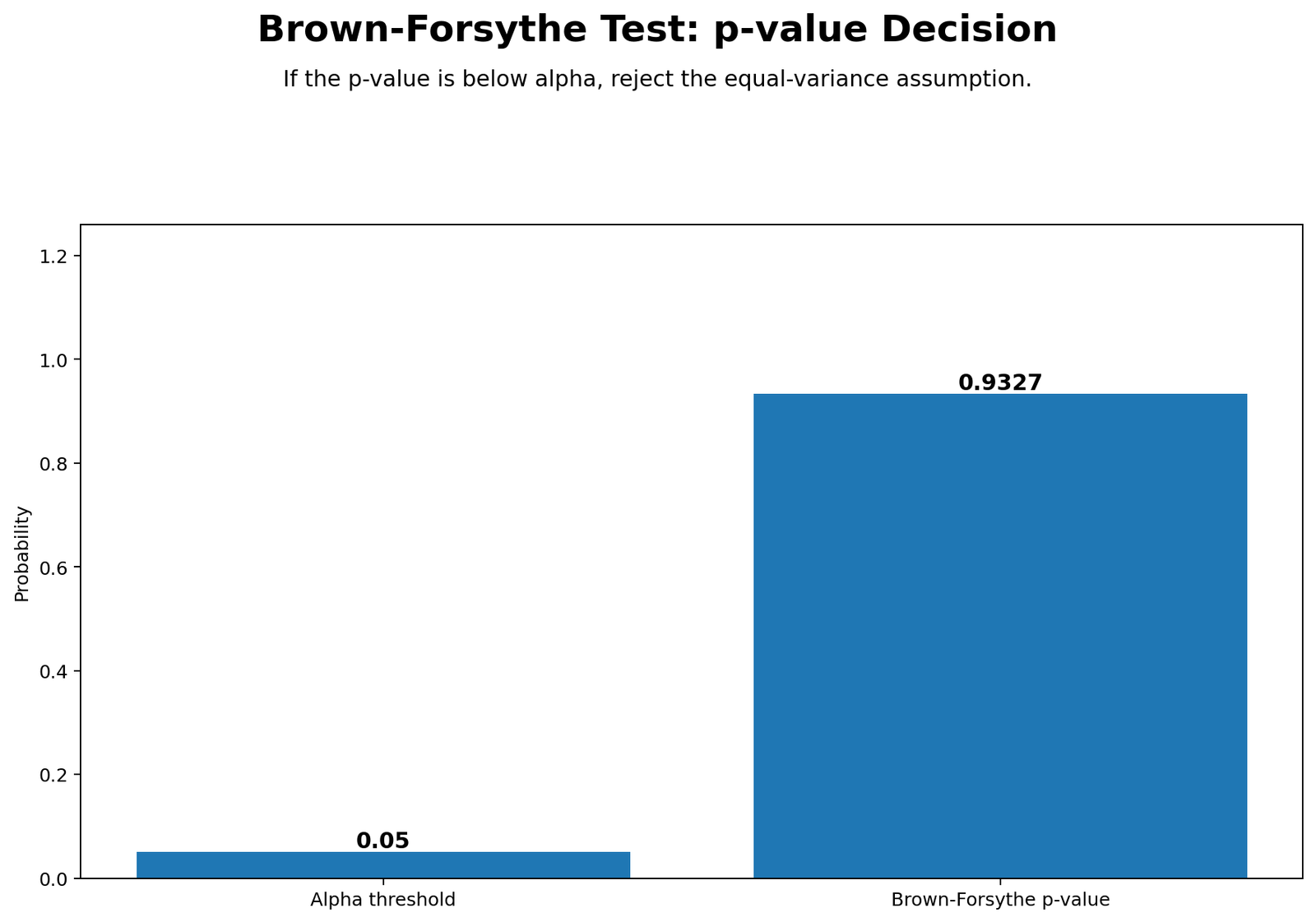
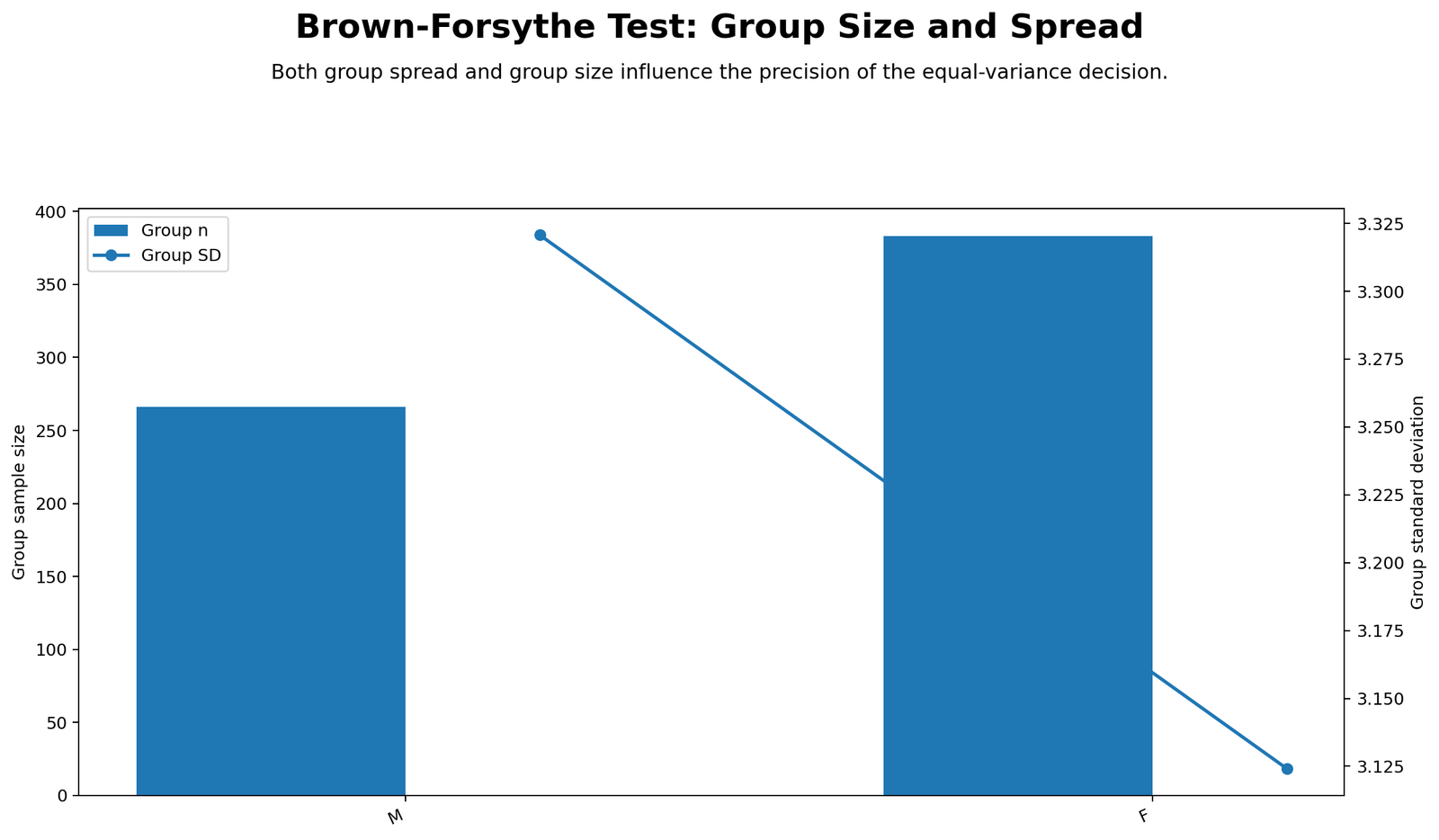
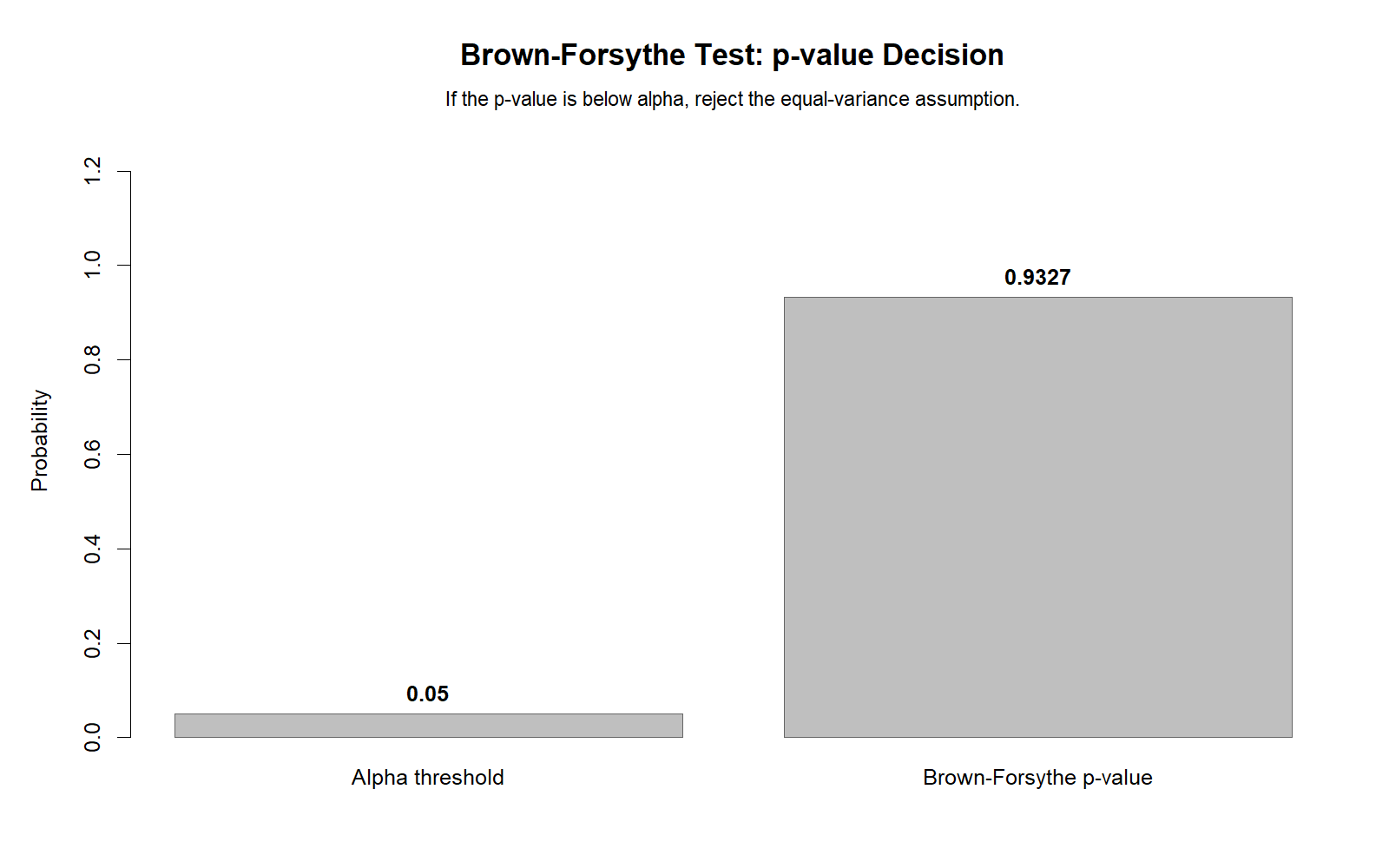
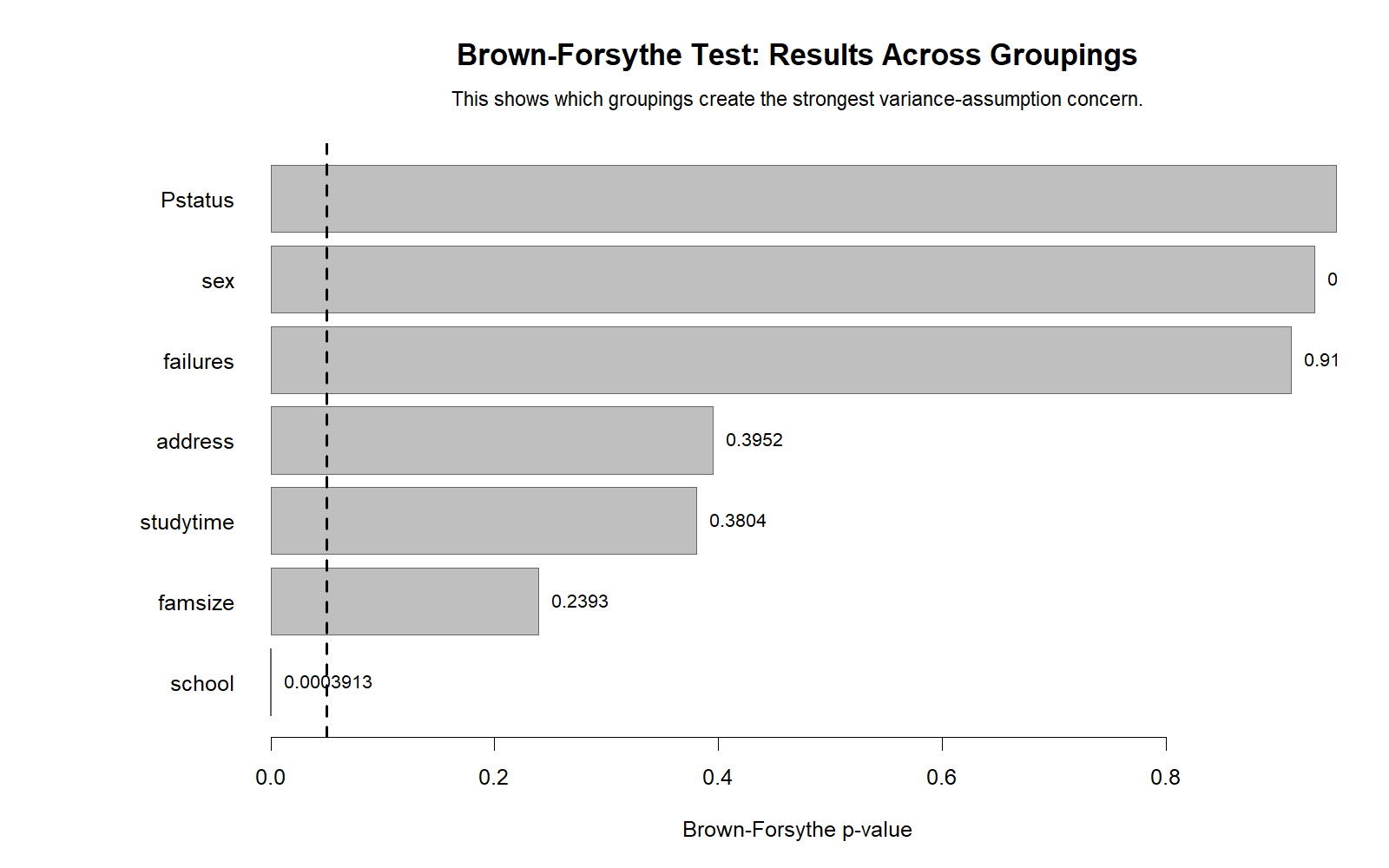
sex 0.0071 1 647 0.9327 Do not reject equal variances
internet 0.0913 1 647 0.7626 Do not reject equal variances
higher 1.8676 1 647 0.1722 Do not reject equal variances
schoolsup 10.9827 1 647 0.0010 Reject equal variances
famsup 3.1857 1 647 0.0748 Do not reject equal variances

Brown Forsythe Test in SPSS

SPSS can show the Brown Forsythe-style result in the Test of Homogeneity of Variances table. In the SPSS output, the row Based on Median is the important row for the Brown Forsythe version. The verified SPSS output gives Levene Statistic = 1.026, df1 = 3, df2 = 645 and Sig. = 0.380.

SPSS Homogeneity Table Displayed as Text

SPSS row Levene statistic df1 df2 Sig. Meaning
Based on Mean 0.985 3 645 0.400 Mean-centered Levene version.
Based on Median 1.026 3 645 0.380 Brown Forsythe-style result.
Based on Median with adjusted df 1.026 3 609.885 0.380 Adjusted degrees-of-freedom version.
Based on trimmed mean 1.081 3 645 0.356 Trimmed-mean robust version.

Manual SPSS Brown Forsythe ANOVA on Absolute Deviations

Source Sum of Squares df Mean Square F Sig.
Between Groups 14.057 3 4.686 1.026 0.380
Within Groups 2944.671 645 4.565
Total 2958.727 648

SPSS Syntax Used

GET DATA
  /TYPE=TXT
  /FILE='D:\low kda score priority basis posts\first post\Brown-Forsythe Test\student_por_spss_clean.csv'
  /ENCODING='UTF8'
  /DELCASE=LINE
  /DELIMITERS=","
  /QUALIFIER='"'
  /ARRANGEMENT=DELIMITED
  /FIRSTCASE=2
  /IMPORTCASE=ALL
  /VARIABLES=
  studytime F1.0
  G3 F2.0
  sex A1
  internet A3
  higher A3
  schoolsup A3
  famsup A3.
CACHE.
EXECUTE.

VALUE LABELS studytime
  1 '<2 hours'
  2 '2 to 5 hours'
  3 '5 to 10 hours'
  4 '>10 hours'.

FREQUENCIES VARIABLES=studytime.

ONEWAY G3 BY studytime
  /STATISTICS DESCRIPTIVES HOMOGENEITY
  /MISSING ANALYSIS.

SORT CASES BY studytime.

AGGREGATE
  /OUTFILE=* MODE=ADDVARIABLES
  /BREAK=studytime
  /median_G3_by_studytime=MEDIAN(G3).

COMPUTE bf_abs_dev_G3 = ABS(G3 - median_G3_by_studytime).
EXECUTE.

ONEWAY bf_abs_dev_G3 BY studytime
  /STATISTICS DESCRIPTIVES
  /MISSING ANALYSIS.

Download SPSS verification PDF: Brown Forsythe Test SPSS Output PDF.

Brown Forsythe Test in Excel

Excel does not provide a standard built-in Brown Forsythe button, but the method can be done manually. The key idea is to create absolute deviations from group medians, then run ANOVA on those transformed values.

  1. Put studytime in column A.
  2. Put G3 in column B.
  3. Calculate the median G3 for each studytime group.
  4. Calculate each row’s absolute deviation from its group median.
  5. Split the transformed deviation values into separate columns by studytime group.
  6. Run Data → Data Analysis → ANOVA: Single Factor.
  7. The ANOVA F and p-value on those deviation values are the Brown Forsythe result.
=MEDIAN(FILTER($B$2:$B$650,$A$2:$A$650=A2))
=ABS(B2-C2)

For most readers, R, Python or SPSS will be safer than Excel because the manual Excel workflow is more prone to formula-range mistakes.

How to Report the Brown Forsythe Test

A good report should name the test, outcome variable, grouping variable, test statistic, degrees of freedom, p-value and interpretation.

APA-style report: A Brown Forsythe homogeneity-of-variance test was conducted to compare the variance of G3 final grades across studytime groups. The result was F(3, 645) = 1.0263, p = 0.3804. Because the p-value was greater than 0.05, the analysis did not find strong evidence that G3 variance differs across studytime groups.

Plain-language report: The spread of final grades was checked across four studytime groups. The Brown Forsythe result was not significant, so the analysis did not show strong evidence that grade variability differs across those groups.

Important: Variance Difference Is Not the Same as Mean Difference

The SPSS output also shows that ordinary one-way ANOVA for mean G3 differences across studytime groups is significant, with F = 15.876 and p < 0.001. This does not contradict the Brown Forsythe result. It means average final grades differ across studytime groups, but the variance test does not find strong evidence that the spread of grades differs.

Do not confuse the two results: ordinary ANOVA on G3 tests group means. Brown Forsythe tests group variances. In this dataset, the mean difference is significant, but the variance difference is not significant.

Common Mistakes in Brown Forsythe Test

1. Treating Brown Forsythe as a normality test

The Brown Forsythe Test is not a normality test. It checks equality of variances across groups.

2. Confusing variance testing with mean testing

Brown Forsythe checks variance. Ordinary ANOVA checks means. These two tests answer different questions.

3. Using Bartlett without considering non-normality

Bartlett can be sensitive to non-normal data. In this example, Bartlett rejects equal variances, while Brown Forsythe, Levene and Fligner-Killeen do not.

4. Reporting only “p is not significant”

A better report includes the test statistic, degrees of freedom, p-value, decision and practical meaning.

5. Saying the variances are exactly equal

A non-significant Brown Forsythe p-value does not prove exact equality. It means the test did not find strong evidence of unequal variances.

Download Brown Forsythe Test Files

The analysis package includes R code, Python code, SPSS syntax, output text files, JSON results, CSV summaries and supporting files used in this guide.

Sources and Method Notes

FAQs About Brown Forsythe Test

What is the Brown Forsythe Test?

The Brown Forsythe Test is a robust homogeneity-of-variance test. It checks whether independent groups have similar population variances using absolute deviations from group medians.

What is the Brown Forsythe Test null hypothesis?

The null hypothesis is that all group population variances are equal.

How do I interpret the Brown Forsythe Test p-value?

If p is less than 0.05, reject equal variances. If p is 0.05 or greater, the test does not find strong evidence that the variances differ.

What was the Brown Forsythe Test result in this example?

The verified result was F(3, 645) = 1.0263, p = 0.3804. The analysis did not reject equal variances across studytime groups.

Is Brown Forsythe the same as Levene Test?

Brown Forsythe is a median-centered version of Levene-type variance testing. It is usually more robust when data are skewed or contain outliers.

Can I run Brown Forsythe Test in Python?

Yes. Use scipy.stats.levene with center=”median”.

Can I run Brown Forsythe Test in SPSS?

Yes. In SPSS, use the Test of Homogeneity of Variances table and read the row Based on Median. You can also manually compute absolute deviations from group medians and run ANOVA on those values.

Can I run Brown Forsythe Test in Excel?

Yes, but it is manual. Compute absolute deviations from group medians, split them by group and run ANOVA: Single Factor on the transformed values.

Advertisement
Google AdSense bottom placement reserved here


“`

Advertisement
Google AdSense Bottom placement reserved here

Need Data Analysis Help?

Send your project details and get ethical tutoring, interpretation or dashboard support.

Request Data Analysis Help

About the author

Online Internet Cafe publishes practical guides for statistics, research methods, data analysis tools and ethical project support.

Related articles

Leave a Reply

Your email address will not be published. Required fields are marked *

Request QuoteWhatsApp