
Factor Analysis in SPSS: Formula, Verified Results, Charts and Interpretation
Factor analysis in SPSS is a software-specific workflow. The analyst must override the default principal-components extraction and default varimax rotation when the intended method is common-factor EFA with correlated factors. This guide uses the supplied real-data results, native MathML equations, matching charts, and separate Python, R, SPSS or AMOS, and Excel verification.
The verified SPSS workflow requests KMO and Bartlett, principal-axis factoring, a fixed three-factor solution supported externally by parallel analysis, and an oblique rotation with pattern and structure interpretation.
Horn retained factors = 3 is retained as a distinct supporting quantity for the SPSS factor-analysis workflow; it is not substituted for the primary result.
What Factor Analysis in SPSS measures
The exact estimand and the result this method is allowed to support.
Factor Analysis in SPSS addresses one defined analytical target: Factor analysis in SPSS is a software-specific workflow. The analyst must override the default principal-components extraction and default varimax rotation when the intended method is common-factor EFA with correlated factors.
Quantity estimated in this analysis
The spss factor-analysis workflow is reconstructed from the exact variables, matrix, model, panel, or resampling design shown below. The primary output is Horn retained factors = 3; PAF iterations = 374 supplies the first supporting check. Horn retained factors = 3 is retained as a distinct supporting quantity for the SPSS factor-analysis workflow; it is not substituted for the primary result.
For Factor Analysis in SPSS, the calculation retains full precision until the final display. That matters because the software reports, spreadsheet formulas, chart labels, and narrative must refer to one identical result rather than separately rounded approximations.
Interpretation that is not permitted
The FACTOR dialog does not automatically perform Horn’s parallel analysis, and the default output is not evidence that a three-factor common-factor model was requested. SPSS output must be read according to extraction and rotation choices shown in syntax.
For Factor Analysis in SPSS, this boundary is substantive. A nearby coefficient may share the same data or model, yet it answers a different question. The article therefore names every supporting statistic instead of using broad labels such as “valid,” “good,” or “significant” without the object being evaluated.
When to use Factor Analysis in SPSS
Research scope, neighboring methods, and excluded claims.
Research question answered
The defensible question is whether the SPSS factor-analysis workflow supports the result stated for the declared dataset and analytical specification. It is answered by paste and save the exact FACTOR syntax, followed by request determinant, KMO, initial and extraction output. The evidence is bounded by Horn retained factors = 3 and its named companion quantities.
For Factor Analysis in SPSS, changing the case set, expert panel, item block, estimator, factor count, rotation, baseline model, bootstrap design, or criterion definition changes the question. Such a change requires a new result rather than a revision of the wording around the old value.
Nearest methods that answer different questions
Factor Analysis in R: R packages can run parallel analysis directly and make package defaults explicit; SPSS requires a separate retention step or extension.
Principal Component Analysis: SPSS defaults to PCA unless extraction is changed; that default is not a common-factor model.
These distinctions determine which formula, output table, and chart can legitimately appear in a Factor Analysis in SPSS post.
Real data used for Factor Analysis in SPSS
Variables, coding, sample or panel size, and the role each input plays.
For Factor Analysis in SPSS, the factor-oriented analysis uses 649 complete records and nine ordered variables. TravelAccess is defined as 5 − traveltime so larger values represent easier travel. The correlation matrix, eigenvalues, communalities, loading matrices, rotation output, and simulation cutoffs all preserve the same variable order.
For the SPSS factor-analysis workflow, the data are not merely background. A change in correlation type, standardization, missing-case rule, variable order, or retained dimension count changes the matrix on which Horn retained factors = 3 was obtained.
| Variable | Meaning | Mean | SD | Range | Construct |
|---|---|---|---|---|---|
| G1 | first-period grade | 11.3991 | 2.7453 | 0–19 | Academic Achievement |
| G2 | second-period grade | 11.5701 | 2.9136 | 0–19 | Academic Achievement |
| G3 | final grade | 11.9060 | 3.2307 | 0–19 | Academic Achievement |
| Medu | mother’s education | 2.5146 | 1.1346 | 0–4 | Educational Advantage |
| Fedu | father’s education | 2.3066 | 1.0999 | 0–4 | Educational Advantage |
| TravelAccess | reverse-coded travel accessibility | 3.4314 | 0.7487 | 1–4 | Educational Advantage |
| goout | frequency of going out | 3.1849 | 1.1758 | 1–5 | Social-Alcohol Exposure |
| Dalc | workday alcohol use | 1.5023 | 0.9248 | 1–5 | Social-Alcohol Exposure |
| Walc | weekend alcohol use | 2.2804 | 1.2844 | 1–5 | Social-Alcohol Exposure |
Factor Analysis in SPSS assumptions and design requirements
Six conditions checked before the coefficient or decision rule is interpreted.
1. Variable measurement and coding are appropriate
This condition determines whether the input object matches the formula. In the current Factor Analysis in SPSS analysis, the check is to paste and save the exact FACTOR syntax while preserving Horn retained factors = 3.
For Factor Analysis in SPSS, if the condition is not met, the affected matrix, coefficient, cutoff, or path is recomputed from the corrected inputs. The result is not repaired by changing a label or selecting a more favorable software output.
2. Listwise or pairwise missing-data handling is stated
This requirement controls whether the numerical estimate has the interpretation claimed. In the current Factor Analysis in SPSS analysis, the check is to request determinant, KMO, initial and extraction output while preserving PAF iterations = 374.
For Factor Analysis in SPSS, if the condition is not met, the affected matrix, coefficient, cutoff, or path is recomputed from the corrected inputs. The result is not repaired by changing a label or selecting a more favorable software output.
3. The FACTOR syntax order is valid
This design condition prevents an attractive coefficient from being attached to the wrong population or model. In the current Factor Analysis in SPSS analysis, the check is to set FACTORS(3) and sufficient iterations while preserving Overall KMO = 0.713439.
For Factor Analysis in SPSS, if the condition is not met, the affected matrix, coefficient, cutoff, or path is recomputed from the corrected inputs. The result is not repaired by changing a label or selecting a more favorable software output.
4. PAF rather than default PCA is selected
This specification rule keeps the software routes numerically comparable. In the current Factor Analysis in SPSS analysis, the check is to choose OBLIMIN or PROMAX when factors may correlate while preserving Bartlett chi-square = 3018.238.
For Factor Analysis in SPSS, if the condition is not met, the affected matrix, coefficient, cutoff, or path is recomputed from the corrected inputs. The result is not repaired by changing a label or selecting a more favorable software output.
5. The factor count is supplied from a defensible retention analysis
This diagnostic requirement is checked before a benchmark is applied. In the current Factor Analysis in SPSS analysis, the check is to inspect pattern, structure, and factor-correlation matrices while preserving Varimax G2 dominant loading = -0.971225.
For Factor Analysis in SPSS, if the condition is not met, the affected matrix, coefficient, cutoff, or path is recomputed from the corrected inputs. The result is not repaired by changing a label or selecting a more favorable software output.
6. Oblique matrices are interpreted correctly
This final condition governs whether the conclusion can survive replication or sensitivity analysis. In the current Factor Analysis in SPSS analysis, the check is to do not label the SPSS scree plot as parallel analysis while preserving Varimax Walc dominant loading = -0.966806.
For Factor Analysis in SPSS, if the condition is not met, the affected matrix, coefficient, cutoff, or path is recomputed from the corrected inputs. The result is not repaired by changing a label or selecting a more favorable software output.
Factor Analysis in SPSS hypotheses or decision rule
The statistical question is stated at the correct level for this method.
Statistical question
The primary question concerns factorability, reproduced variance, loading structure, or component retention as defined by Factor Analysis in SPSS; no universal significance test covers all of those quantities.
For Factor Analysis in SPSS, where inferential tests exist, they are reported separately from descriptive coefficients and retention rules.
Decision for the worked analysis
The calculation yields Horn retained factors = 3. Horn retained factors = 3 is retained as a distinct supporting quantity for the SPSS factor-analysis workflow; it is not substituted for the primary result.
The verified SPSS workflow requests KMO and Bartlett, principal-axis factoring, a fixed three-factor solution supported externally by parallel analysis, and an oblique rotation with pattern and structure interpretation.
Factor Analysis in SPSS formula and worked substitution
Native MathML preserves fractions, roots, summations, matrices, subscripts, and superscripts.
The equation below is the defining mathematical object for Factor Analysis in SPSS. Its symbols are connected to the saved inputs and to Horn retained factors = 3, PAF iterations = 374, Overall KMO = 0.713439, Bartlett chi-square = 3018.238.
Extraction and rotation choices in SPSS determine the loading and uniqueness matrices used in this decomposition.
The SPSS output must reconcile these values before rotated loadings are interpreted.
Symbol and denominator control
Factor analysis in SPSS is a software-specific workflow. The analyst must override the default principal-components extraction and default varimax rotation when the intended method is common-factor EFA with correlated factors.
For Factor Analysis in SPSS, the numerator, denominator, matrix order, degrees of freedom, factor count, or panel size shown in the MathML card is retained exactly. A formula from a neighboring method is not substituted even when both produce values on a similar scale.
Full-precision substitution
For Factor Analysis in SPSS, the spreadsheet and software outputs retain unrounded inputs until the final displayed value. The arithmetic is then reconciled with Horn retained factors = 3 and PAF iterations = 374 .
The FACTOR dialog does not automatically perform Horn’s parallel analysis, and the default output is not evidence that a three-factor common-factor model was requested. SPSS output must be read according to extraction and rotation choices shown in syntax.
Step-by-step Factor Analysis in SPSS calculation
Every stage is tied to a saved value and a method-specific condition.
The worked calculation follows six operations specific to the SPSS factor-analysis workflow. Each operation produces a quantity used by the next step, so a discrepancy is resolved where it originates rather than hidden by rounding.
Establish the analytical object
Action: Paste and save the exact FACTOR syntax.
Numerical trace: Horn retained factors = 3; PAF iterations = 374.
Condition: variable measurement and coding are appropriate. This step is repeated after any correction to coding, matrix construction, model syntax, rotation, resampling, or expert-rating denominators.
Reconstruct the first required quantity
Action: Request determinant, KMO, initial and extraction output.
Numerical trace: PAF iterations = 374; Overall KMO = 0.713439.
Condition: listwise or pairwise missing-data handling is stated. This step is repeated after any correction to coding, matrix construction, model syntax, rotation, resampling, or expert-rating denominators.
Verify the companion quantity
Action: Set FACTORS(3) and sufficient iterations.
Numerical trace: Overall KMO = 0.713439; Bartlett chi-square = 3018.238.
Condition: the FACTOR syntax order is valid. This step is repeated after any correction to coding, matrix construction, model syntax, rotation, resampling, or expert-rating denominators.
Apply the decision rule
Action: Choose OBLIMIN or PROMAX when factors may correlate.
Numerical trace: Bartlett chi-square = 3018.238; Varimax G2 dominant loading = -0.971225.
Condition: PAF rather than default PCA is selected. This step is repeated after any correction to coding, matrix construction, model syntax, rotation, resampling, or expert-rating denominators.
Inspect local evidence
Action: Inspect pattern, structure, and factor-correlation matrices.
Numerical trace: Varimax G2 dominant loading = -0.971225; Varimax Walc dominant loading = -0.966806.
Condition: the factor count is supplied from a defensible retention analysis. This step is repeated after any correction to coding, matrix construction, model syntax, rotation, resampling, or expert-rating denominators.
Reconcile and report
Action: Do not label the SPSS scree plot as parallel analysis.
Numerical trace: Varimax Walc dominant loading = -0.966806; Varimax Medu dominant loading = 0.890781.
Condition: oblique matrices are interpreted correctly. This step is repeated after any correction to coding, matrix construction, model syntax, rotation, resampling, or expert-rating denominators.
Factor Analysis in SPSS results and interpretation
Primary and supporting statistics are kept separate and precisely labeled.
Primary result
Horn retained factors
The verified SPSS workflow requests KMO and Bartlett, principal-axis factoring, a fixed three-factor solution supported externally by parallel analysis, and an oblique rotation with pattern and structure interpretation.
Why the result is internally coherent
Horn retained factors = 3 is retained as a distinct supporting quantity for the SPSS factor-analysis workflow; it is not substituted for the primary result.
PAF iterations = 374 documents simulation or convergence effort rather than substantive magnitude.
For Factor Analysis in SPSS, the two quantities are reported together because one is primary and the other supplies context; neither is renamed as the other.
| Result item | Exact value | Interpretation restricted to this method |
|---|---|---|
| Horn retained factors | 3 | Horn retained factors = 3 is retained as a distinct supporting quantity for the SPSS factor-analysis workflow; it is not substituted for the primary result. |
| PAF iterations | 374 | PAF iterations = 374 documents simulation or convergence effort rather than substantive magnitude. |
| Overall KMO | 0.713439 | Overall KMO = 0.713439 describes the balance between ordinary and partial correlations, so it informs factorability or item adequacy rather than factor retention. |
| Bartlett chi-square | 3018.238 | Bartlett chi-square = 3018.238 is read with its degrees of freedom, estimator, sample size, and p-value; it is not a stand-alone effect size. |
| Varimax G2 dominant loading | -0.971225 | Varimax G2 dominant loading = -0.971225 is tied to a named indicator and matrix; its sign, standardization, primary dimension, and cross-coefficients must remain explicit. |
| Varimax Walc dominant loading | -0.966806 | Varimax Walc dominant loading = -0.966806 is tied to a named indicator and matrix; its sign, standardization, primary dimension, and cross-coefficients must remain explicit. |
| Varimax Medu dominant loading | 0.890781 | Varimax Medu dominant loading = 0.890781 is tied to a named indicator and matrix; its sign, standardization, primary dimension, and cross-coefficients must remain explicit. |
| Eigenvalue 1 | 3.195831 | Eigenvalue 1 = 3.195831 is interpreted in rank order and beside adjacent observed or simulated roots before a retention decision is made. |
| Eigenvalue 2 | 1.817089 | Eigenvalue 2 = 1.817089 is interpreted in rank order and beside adjacent observed or simulated roots before a retention decision is made. |
| Eigenvalue 3 | 1.393698 | Eigenvalue 3 = 1.393698 is interpreted in rank order and beside adjacent observed or simulated roots before a retention decision is made. |
| Eigenvalue 4 | 0.846560 | Eigenvalue 4 = 0.846560 is interpreted in rank order and beside adjacent observed or simulated roots before a retention decision is made. |
| Three-dimension cumulative variance | 71.1846% | Three-dimension cumulative variance = 71.1846% belongs to the declared matrix and retained dimensions and must not be relabeled as model fit. |
| Parallel iterations | 500 | Parallel iterations = 500 documents simulation or convergence effort rather than substantive magnitude. |
| Observed eigenvalue 3 | 1.393698 | Observed eigenvalue 3 = 1.393698 is interpreted in rank order and beside adjacent observed or simulated roots before a retention decision is made. |
Factor Analysis in SPSS in Python
The Python route calculates or reconstructs the exact named result.
The Python workflow uses factor_analyzer, FactorAnalyzer to calculate or extract the SPSS factor-analysis workflow from the declared data and analytical specification. It must reproduce Horn retained factors = 3 and retain PAF iterations = 374 as a separate supporting quantity.
The code is read as an executable analysis, not as a printed answer. Its critical verification is to paste and save the exact FACTOR syntax; the associated design condition is that variable measurement and coding are appropriate. The FACTOR dialog does not automatically perform Horn’s parallel analysis, and the default output is not evidence that a three-factor common-factor model was requested. SPSS output must be read according to extraction and rotation choices shown in syntax.
import pandas as pd

import numpy as npdf = pd.read_csv("student-por.csv", sep=";")

df["TravelAccess"] = 5 - df["traveltime"]

vars9 = ["G1","G2","G3","Medu","Fedu","TravelAccess","goout","Dalc","Walc"]

X = df[vars9].dropna()

from factor_analyzer import FactorAnalyzer

fa=FactorAnalyzer(n_factors=3,method="principal",rotation="oblimin")

fa.fit(X)

print("loadings",fa.loadings_)

print("communalities",fa.get_communalities())

print("uniquenesses",fa.get_uniquenesses())
Factor Analysis in SPSS in R
The R route declares package, estimator, extraction, rotation, or resampling settings.
The R route uses psych and the displayed arguments to estimate the SPSS factor-analysis workflow. Package defaults are made explicit because estimator, matrix type, extraction, rotation, baseline, or bootstrap choices can change the result.
R output is reconciled with Horn retained factors = 3 after the analyst request determinant, KMO, initial and extraction output. Agreement is expected only when the case set, variable order, and method settings match the Python and workbook calculations.
d <- read.csv2("student-por.csv")

d$TravelAccess <- 5 - d$traveltime

vars9 <- c("G1","G2","G3","Medu","Fedu","TravelAccess","goout","Dalc","Walc")

X <- d[vars9]

library(psych)

fit <- fa(X,nfactors=3,fm="pa",rotate="oblimin")

print(fit$loadings,cutoff=0); print(fit$communality); print(fit$Phi)Factor Analysis in SPSS in SPSS or AMOS
The procedure is labeled honestly when base SPSS does not expose the coefficient.
The SPSS or AMOS section shows the procedure that is actually available for the SPSS factor-analysis workflow. When base SPSS does not expose the coefficient, the syntax prepares the correct matrix or model and the coefficient is obtained through AMOS, MATRIX operations, or a validated integration rather than by renaming a different test.
The output must identify Horn retained factors = 3 and the settings needed to reproduce it. The software review specifically set FACTORS(3) and sufficient iterations, while preserving the requirement that the FACTOR syntax order is valid.
COMPUTE TravelAccess = 5 - traveltime.

EXECUTE.

FACTOR

/VARIABLES G1 G2 G3 Medu Fedu TravelAccess goout Dalc Walc

/MISSING LISTWISE

/PRINT INITIAL KMO EXTRACTION ROTATION

/PLOT EIGEN

/CRITERIA FACTORS(3) ITERATE(500)

/EXTRACTION PAF

/ROTATION OBLIMIN

/METHOD=CORRELATION.

* Read only the Factor Analysis in SPSS evidence identified in this post.Factor Analysis in SPSS in Excel
The workbook exposes source values, intermediate arithmetic, and the final formula.
The Excel workbook is an arithmetic audit for the SPSS factor-analysis workflow. Named cells retain the inputs, intermediate components, and final formula leading to Horn retained factors = 3; no rounded constant is pasted over a formula cell.
Excel can verify visible calculations and cross-software agreement, but it does not replace estimation, optimization, rotation, or resampling that must occur in statistical software. The workbook therefore focuses on the check to choose OBLIMIN or PROMAX when factors may correlate and documents PAF iterations = 374 independently.
Data: 649 rows with documented coding.

Inputs: named cells or ranges required only by Factor Analysis in SPSS.

Calculation: Use the native MathML formula shown above with named ranges for every input

Audit: compare full-precision Excel output with the Python, R, and SPSS/AMOS values.

Decision: reference the exact result and diagnostics; never paste a rounded value over the formula cell.Factor Analysis in SPSS charts and visual diagnostics
Each supplied image is interpreted through its own values and analytical purpose.
Every image below is interpreted as part of the same Factor Analysis in SPSS analysis. The captions identify what the panel contributes, the exact values visible in the result set, and the condition that would invalidate the reading.
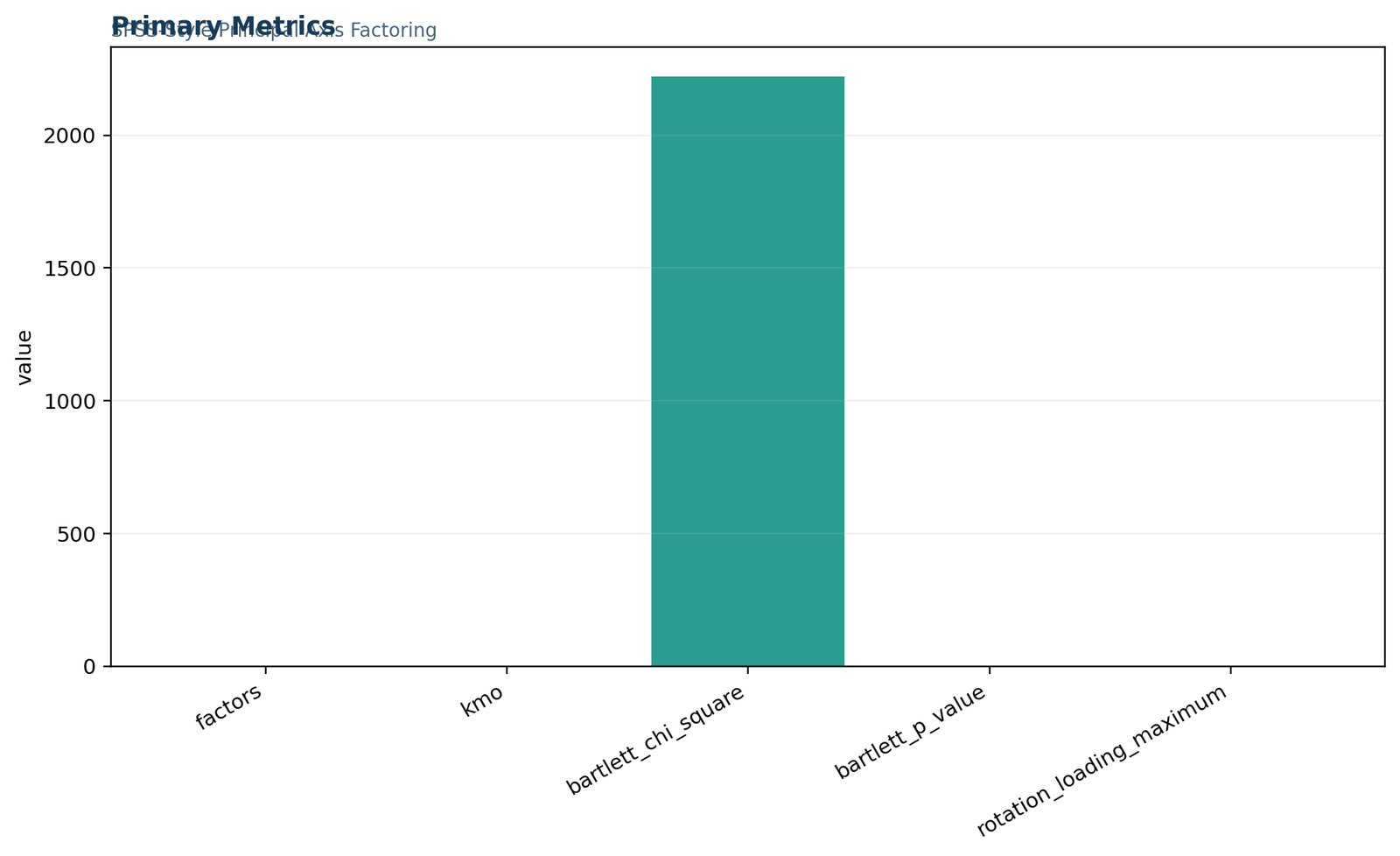
01 Factor-Analysis-In-Spss Primary Metrics
This panel reconciles the headline estimate with its principal supporting values for Factor Analysis in SPSS. Read Horn retained factors = 3 beside PAF iterations = 374; the first quantity is not replaced by the second.
The chart is used to paste and save the exact FACTOR syntax. Its interpretation remains valid only when variable measurement and coding are appropriate. A visual pattern that conflicts with the saved table triggers re-estimation or relabeling of the specific chart, not a broad claim that the method has passed.
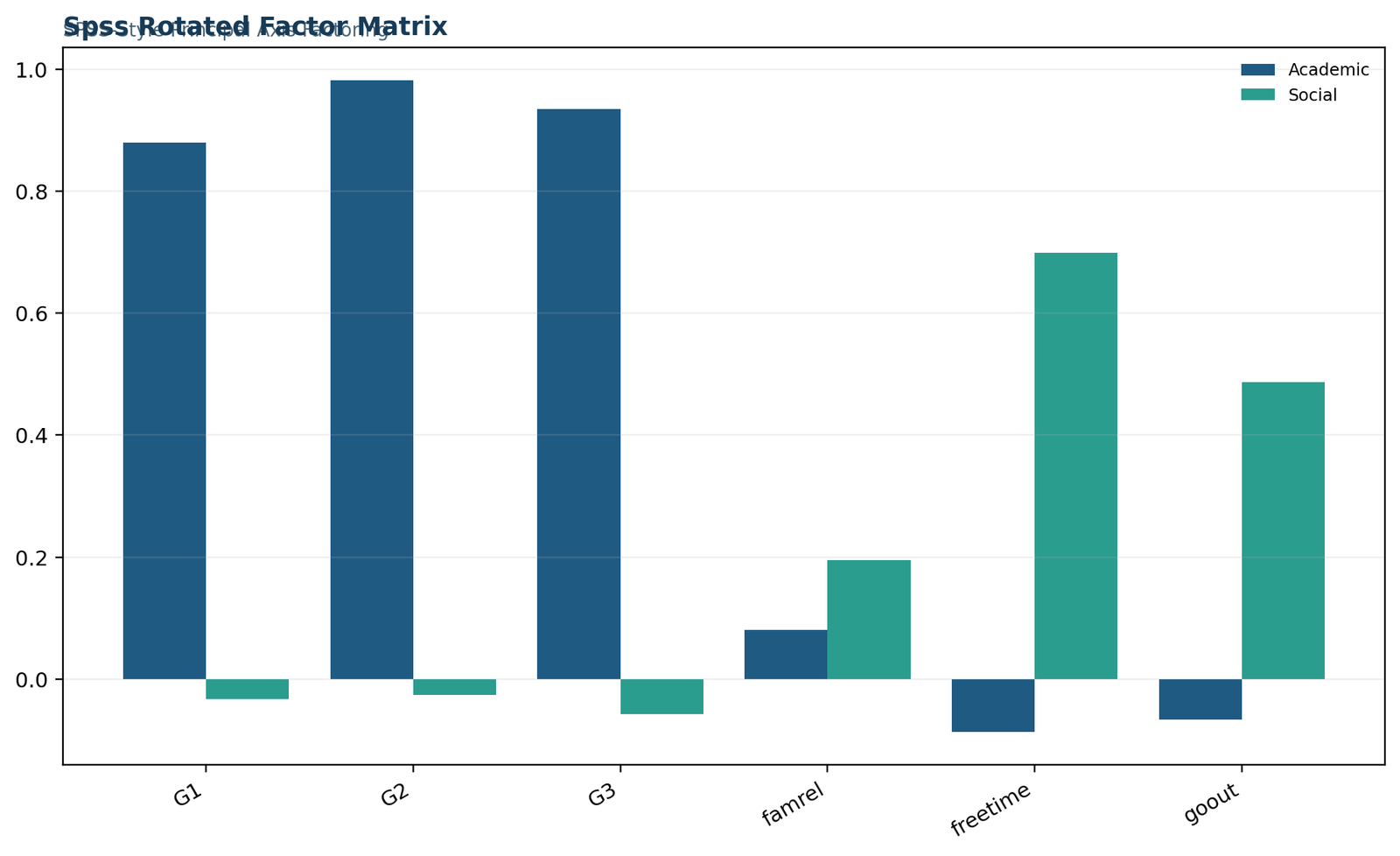
02 Factor-Analysis-In-Spss Spss Rotated Factor Matrix
This panel shows the cell-level pattern that a single coefficient can conceal for Factor Analysis in SPSS. Read PAF iterations = 374 beside Overall KMO = 0.713439; the first quantity is not replaced by the second.
The chart is used to request determinant, KMO, initial and extraction output. Its interpretation remains valid only when listwise or pairwise missing-data handling is stated. A visual pattern that conflicts with the saved table triggers re-estimation or relabeling of the specific chart, not a broad claim that the method has passed.
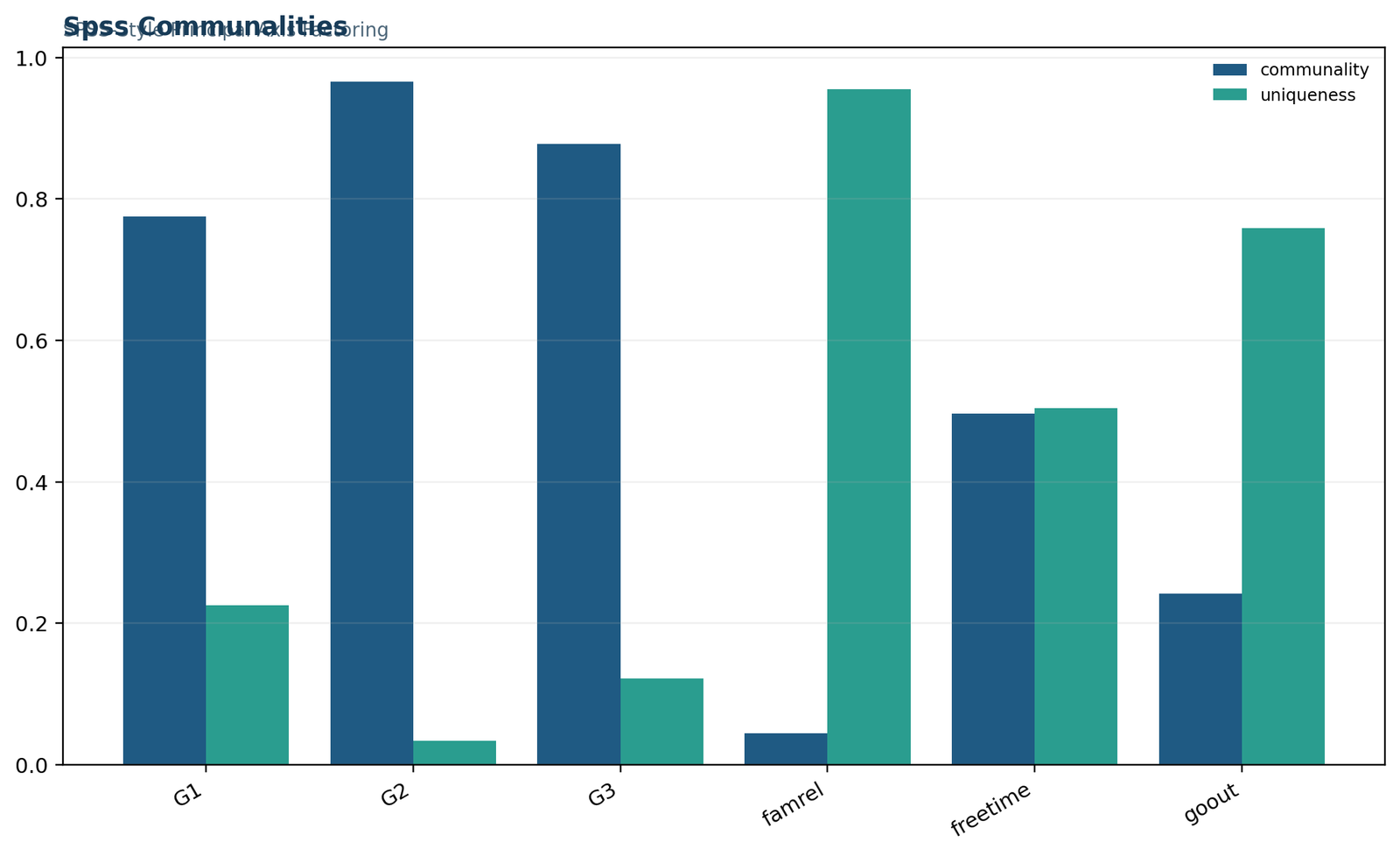
03 Factor-Analysis-In-Spss Spss Communalities
This panel provides a visual diagnostic tied to the method’s exact decision rule for Factor Analysis in SPSS. Read Overall KMO = 0.713439 beside Bartlett chi-square = 3018.238; the first quantity is not replaced by the second.
The chart is used to set FACTORS(3) and sufficient iterations. Its interpretation remains valid only when the FACTOR syntax order is valid. A visual pattern that conflicts with the saved table triggers re-estimation or relabeling of the specific chart, not a broad claim that the method has passed.
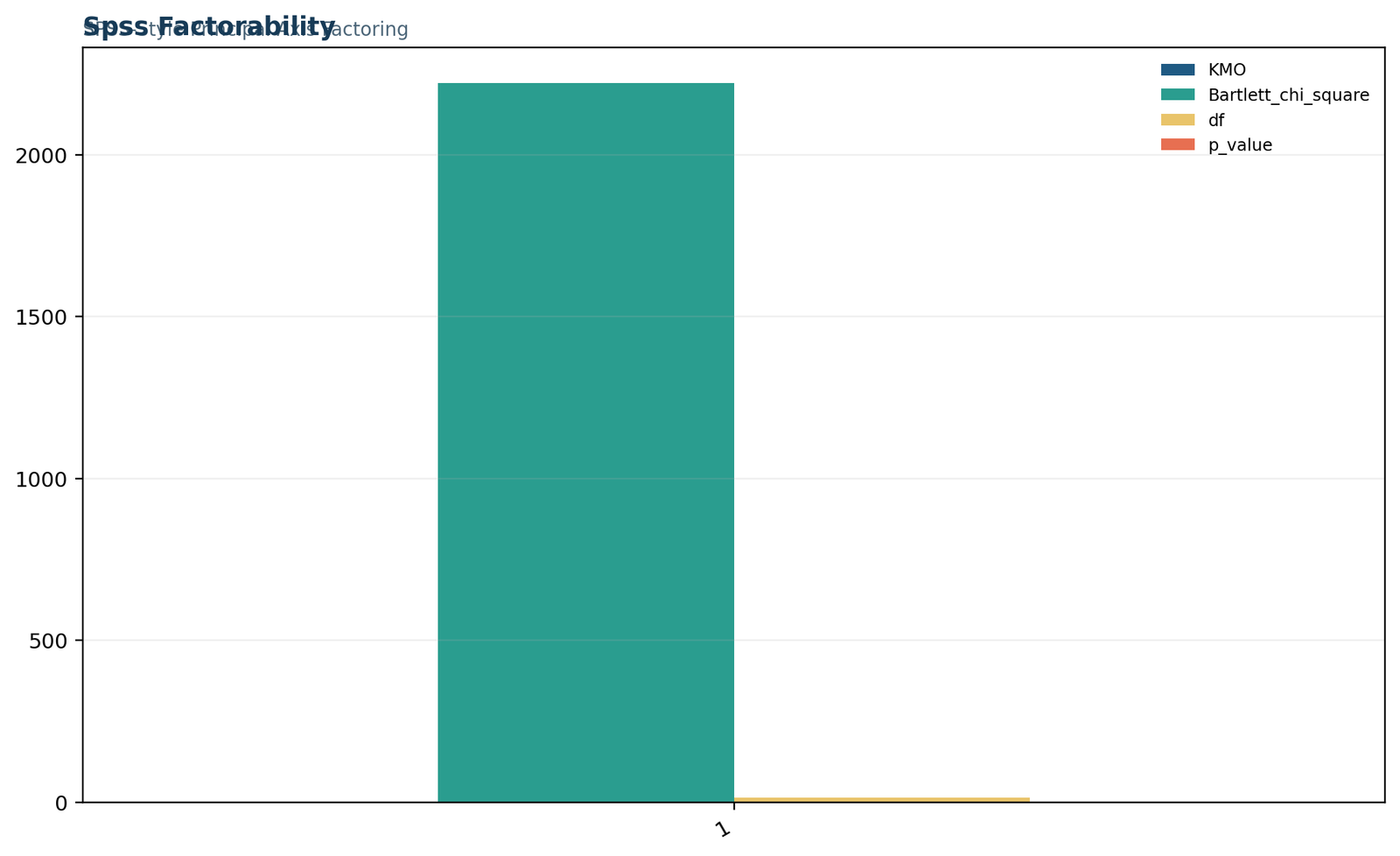
04 Factor-Analysis-In-Spss Spss Factorability
This panel provides a visual diagnostic tied to the method’s exact decision rule for Factor Analysis in SPSS. Read Bartlett chi-square = 3018.238 beside Varimax G2 dominant loading = -0.971225; the first quantity is not replaced by the second.
The chart is used to choose OBLIMIN or PROMAX when factors may correlate. Its interpretation remains valid only when PAF rather than default PCA is selected. A visual pattern that conflicts with the saved table triggers re-estimation or relabeling of the specific chart, not a broad claim that the method has passed.
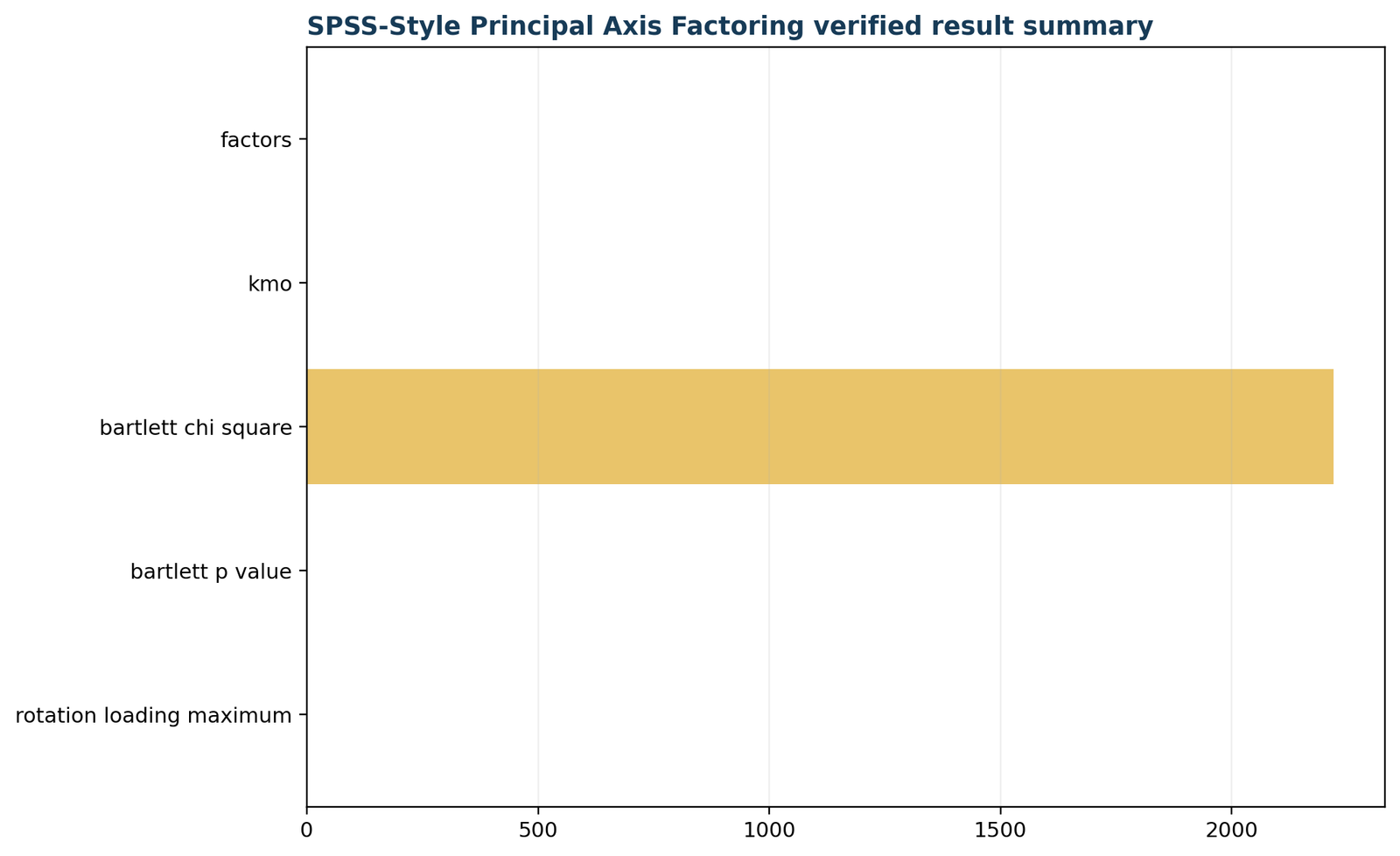
05 Factor-Analysis-In-Spss Verified Result Summary
This panel reconciles the headline estimate with its principal supporting values for Factor Analysis in SPSS. Read Varimax G2 dominant loading = -0.971225 beside Varimax Walc dominant loading = -0.966806; the first quantity is not replaced by the second.
The chart is used to inspect pattern, structure, and factor-correlation matrices. Its interpretation remains valid only when the factor count is supplied from a defensible retention analysis. A visual pattern that conflicts with the saved table triggers re-estimation or relabeling of the specific chart, not a broad claim that the method has passed.
01 Factor-Analysis-In-Spss Primary Metrics
This panel reconciles the headline estimate with its principal supporting values for Factor Analysis in SPSS. Read Varimax Walc dominant loading = -0.966806 beside Varimax Medu dominant loading = 0.890781; the first quantity is not replaced by the second.
The chart is used to do not label the SPSS scree plot as parallel analysis. Its interpretation remains valid only when oblique matrices are interpreted correctly. A visual pattern that conflicts with the saved table triggers re-estimation or relabeling of the specific chart, not a broad claim that the method has passed.
02 Factor-Analysis-In-Spss Spss Rotated Factor Matrix
This panel shows the cell-level pattern that a single coefficient can conceal for Factor Analysis in SPSS. Read Varimax Medu dominant loading = 0.890781 beside Eigenvalue 1 = 3.195831; the first quantity is not replaced by the second.
The chart is used to paste and save the exact FACTOR syntax. Its interpretation remains valid only when variable measurement and coding are appropriate. A visual pattern that conflicts with the saved table triggers re-estimation or relabeling of the specific chart, not a broad claim that the method has passed.
03 Factor-Analysis-In-Spss Spss Communalities
This panel provides a visual diagnostic tied to the method’s exact decision rule for Factor Analysis in SPSS. Read Eigenvalue 1 = 3.195831 beside Eigenvalue 2 = 1.817089; the first quantity is not replaced by the second.
The chart is used to request determinant, KMO, initial and extraction output. Its interpretation remains valid only when listwise or pairwise missing-data handling is stated. A visual pattern that conflicts with the saved table triggers re-estimation or relabeling of the specific chart, not a broad claim that the method has passed.
04 Factor-Analysis-In-Spss Spss Factorability
This panel provides a visual diagnostic tied to the method’s exact decision rule for Factor Analysis in SPSS. Read Eigenvalue 2 = 1.817089 beside Eigenvalue 3 = 1.393698; the first quantity is not replaced by the second.
The chart is used to set FACTORS(3) and sufficient iterations. Its interpretation remains valid only when the FACTOR syntax order is valid. A visual pattern that conflicts with the saved table triggers re-estimation or relabeling of the specific chart, not a broad claim that the method has passed.
05 Factor-Analysis-In-Spss Verified Result Summary
This panel reconciles the headline estimate with its principal supporting values for Factor Analysis in SPSS. Read Eigenvalue 3 = 1.393698 beside Eigenvalue 4 = 0.846560; the first quantity is not replaced by the second.
The chart is used to choose OBLIMIN or PROMAX when factors may correlate. Its interpretation remains valid only when PAF rather than default PCA is selected. A visual pattern that conflicts with the saved table triggers re-estimation or relabeling of the specific chart, not a broad claim that the method has passed.
Factor Analysis in SPSS verification and sensitivity analysis
Six failure modes are checked against the formula, data, output, and charts.
The following diagnostics are not a general checklist. Each one targets a failure mode that can change the calculation or interpretation of Factor Analysis in SPSS.
1. Paste and save the exact FACTOR syntax
Begin by paste and save the exact FACTOR syntax. For the SPSS factor-analysis workflow, this operation directly connects Horn retained factors = 3 with Overall KMO = 0.713439. Horn retained factors = 3 is retained as a distinct supporting quantity for the SPSS factor-analysis workflow; it is not substituted for the primary result.
The governing condition is that variable measurement and coding are appropriate. If it fails, the primary coefficient may be attached to the wrong input object. The remedy is to correct the relevant coding, matrix, model, rotation, resampling, or panel denominator and rerun the calculation. This check also prevents confusion with Factor Analysis in R, because R packages can run parallel analysis directly and make package defaults explicit; SPSS requires a separate retention step or extension.
2. Request determinant, KMO, initial and extraction output
Next, request determinant, KMO, initial and extraction output. For the SPSS factor-analysis workflow, this operation directly connects PAF iterations = 374 with Bartlett chi-square = 3018.238. PAF iterations = 374 documents simulation or convergence effort rather than substantive magnitude.
The governing condition is that listwise or pairwise missing-data handling is stated. If it fails, the companion statistic may no longer describe the same model or sample. The remedy is to correct the relevant coding, matrix, model, rotation, resampling, or panel denominator and rerun the calculation. This check also prevents confusion with Principal Component Analysis, because SPSS defaults to PCA unless extraction is changed; that default is not a common-factor model.
3. Set FACTORS(3) and sufficient iterations
The third verification is to set FACTORS(3) and sufficient iterations. For the SPSS factor-analysis workflow, this operation directly connects Overall KMO = 0.713439 with Varimax G2 dominant loading = -0.971225. Overall KMO = 0.713439 describes the balance between ordinary and partial correlations, so it informs factorability or item adequacy rather than factor retention.
The governing condition is that the FACTOR syntax order is valid. If it fails, the decision boundary can move because the required quantity has changed. The remedy is to correct the relevant coding, matrix, model, rotation, resampling, or panel denominator and rerun the calculation. This check also prevents confusion with Confirmatory Factor Analysis, because Base SPSS FACTOR is exploratory; confirmatory factor analysis is typically fitted in AMOS or other SEM software.
4. Choose OBLIMIN or PROMAX when factors may correlate
After the core arithmetic is stable, choose OBLIMIN or PROMAX when factors may correlate. For the SPSS factor-analysis workflow, this operation directly connects Bartlett chi-square = 3018.238 with Varimax Walc dominant loading = -0.966806. Bartlett chi-square = 3018.238 is read with its degrees of freedom, estimator, sample size, and p-value; it is not a stand-alone effect size.
The governing condition is that PAF rather than default PCA is selected. If it fails, software agreement can be artificial if unlike definitions are compared. The remedy is to correct the relevant coding, matrix, model, rotation, resampling, or panel denominator and rerun the calculation. This check also prevents confusion with Factor Analysis in R, because R packages can run parallel analysis directly and make package defaults explicit; SPSS requires a separate retention step or extension.
5. Inspect pattern, structure, and factor-correlation matrices
A robustness review must inspect pattern, structure, and factor-correlation matrices. For the SPSS factor-analysis workflow, this operation directly connects Varimax G2 dominant loading = -0.971225 with Varimax Medu dominant loading = 0.890781. Varimax G2 dominant loading = -0.971225 is tied to a named indicator and matrix; its sign, standardization, primary dimension, and cross-coefficients must remain explicit.
The governing condition is that the factor count is supplied from a defensible retention analysis. If it fails, a favorable average can conceal a local failure. The remedy is to correct the relevant coding, matrix, model, rotation, resampling, or panel denominator and rerun the calculation. This check also prevents confusion with Principal Component Analysis, because SPSS defaults to PCA unless extraction is changed; that default is not a common-factor model.
6. Do not label the SPSS scree plot as parallel analysis
The final reconciliation should do not label the SPSS scree plot as parallel analysis. For the SPSS factor-analysis workflow, this operation directly connects Varimax Walc dominant loading = -0.966806 with Eigenvalue 1 = 3.195831. Varimax Walc dominant loading = -0.966806 is tied to a named indicator and matrix; its sign, standardization, primary dimension, and cross-coefficients must remain explicit.
The governing condition is that oblique matrices are interpreted correctly. If it fails, the published conclusion can exceed the evidence actually reproduced. The remedy is to correct the relevant coding, matrix, model, rotation, resampling, or panel denominator and rerun the calculation. This check also prevents confusion with Confirmatory Factor Analysis, because Base SPSS FACTOR is exploratory; confirmatory factor analysis is typically fitted in AMOS or other SEM software.
| # | Verification operation | Condition protected | Saved quantity traced |
|---|---|---|---|
| 1 | paste and save the exact FACTOR syntax | variable measurement and coding are appropriate | Horn retained factors = 3 |
| 2 | request determinant, KMO, initial and extraction output | listwise or pairwise missing-data handling is stated | PAF iterations = 374 |
| 3 | set FACTORS(3) and sufficient iterations | the FACTOR syntax order is valid | Overall KMO = 0.713439 |
| 4 | choose OBLIMIN or PROMAX when factors may correlate | PAF rather than default PCA is selected | Bartlett chi-square = 3018.238 |
| 5 | inspect pattern, structure, and factor-correlation matrices | the factor count is supplied from a defensible retention analysis | Varimax G2 dominant loading = -0.971225 |
| 6 | do not label the SPSS scree plot as parallel analysis | oblique matrices are interpreted correctly | Varimax Walc dominant loading = -0.966806 |
Factor Analysis in SPSS compared with related methods
Differences in estimand, formula, and conclusion determine the correct choice.
Method choice depends on the estimand, model, and data structure. These three comparisons explain why the post uses the Factor Analysis in SPSS formula and output rather than a nearby procedure.
Factor Analysis in R
R packages can run parallel analysis directly and make package defaults explicit; SPSS requires a separate retention step or extension.
In the current analysis, PAF iterations = 374 remains evidence for the SPSS factor-analysis workflow; it is not relabeled as a Factor Analysis in R result. PAF iterations = 374 documents simulation or convergence effort rather than substantive magnitude.
Principal Component Analysis
SPSS defaults to PCA unless extraction is changed; that default is not a common-factor model.
In the current analysis, Overall KMO = 0.713439 remains evidence for the SPSS factor-analysis workflow; it is not relabeled as a Principal Component Analysis result. Overall KMO = 0.713439 describes the balance between ordinary and partial correlations, so it informs factorability or item adequacy rather than factor retention.
Confirmatory Factor Analysis
Base SPSS FACTOR is exploratory; confirmatory factor analysis is typically fitted in AMOS or other SEM software.
In the current analysis, Bartlett chi-square = 3018.238 remains evidence for the SPSS factor-analysis workflow; it is not relabeled as a Confirmatory Factor Analysis result. Bartlett chi-square = 3018.238 is read with its degrees of freedom, estimator, sample size, and p-value; it is not a stand-alone effect size.
How to report Factor Analysis in SPSS
A complete result paragraph includes the value, analytical object, settings, and limitation.
Results paragraph
Factor Analysis in SPSS was evaluated using the declared data, specification, and software settings. The primary result was Horn retained factors = 3; PAF iterations = 374 and Overall KMO = 0.713439 supplied supporting context. The verified SPSS workflow requests KMO and Bartlett, principal-axis factoring, a fixed three-factor solution supported externally by parallel analysis, and an oblique rotation with pattern and structure interpretation.
The report then states the limitation explicitly: The FACTOR dialog does not automatically perform Horn’s parallel analysis, and the default output is not evidence that a three-factor common-factor model was requested. SPSS output must be read according to extraction and rotation choices shown in syntax.
Settings that must accompany the result
variable measurement and coding are appropriate; listwise or pairwise missing-data handling is stated; the FACTOR syntax order is valid; PAF rather than default PCA is selected.
For Factor Analysis in SPSS, these details identify the exact version of the analysis and make cross-software reconciliation possible.
Verification actions retained in the record
paste and save the exact FACTOR syntax; request determinant, KMO, initial and extraction output; set FACTORS(3) and sufficient iterations; choose OBLIMIN or PROMAX when factors may correlate.
The final wording is revised only after those operations reproduce the saved values.
Factor Analysis in SPSS decision scenarios
For Factor Analysis in SPSS, worked conflicts show how the conclusion changes when an input, assumption, or supporting statistic fails.
Boundary-case interpretation: Paste and save the exact FACTOR syntax
Consider a review in which Horn retained factors = 3 is reproduced but PAF iterations = 374 is not. For the SPSS factor-analysis workflow, the disagreement cannot be settled by averaging the two outputs because they describe different components of the analysis. The first action is to paste and save the exact FACTOR syntax and verify that variable measurement and coding are appropriate.
If the discrepancy persists, the analyst identifies whether the cause is coding, matrix construction, model identification, estimator, rotation, baseline definition, resampling, or panel denominator. The result is compared with Factor Analysis in R only for method selection: R packages can run parallel analysis directly and make package defaults explicit; SPSS requires a separate retention step or extension. The published conclusion remains The verified SPSS workflow requests KMO and Bartlett, principal-axis factoring, a fixed three-factor solution supported externally by parallel analysis, and an oblique rotation with pattern and structure interpretation.
Input-definition sensitivity: Request determinant, KMO, initial and extraction output
Consider a review in which Overall KMO = 0.713439 is reproduced but Bartlett chi-square = 3018.238 is not. For the SPSS factor-analysis workflow, the disagreement cannot be settled by averaging the two outputs because they describe different components of the analysis. The first action is to request determinant, KMO, initial and extraction output and verify that listwise or pairwise missing-data handling is stated.
If the discrepancy persists, the analyst identifies whether the cause is coding, matrix construction, model identification, estimator, rotation, baseline definition, resampling, or panel denominator. The result is compared with Principal Component Analysis only for method selection: SPSS defaults to PCA unless extraction is changed; that default is not a common-factor model. The published conclusion remains The verified SPSS workflow requests KMO and Bartlett, principal-axis factoring, a fixed three-factor solution supported externally by parallel analysis, and an oblique rotation with pattern and structure interpretation.
Software-definition reconciliation: Set FACTORS(3) and sufficient iterations
Consider a review in which Varimax G2 dominant loading = -0.971225 is reproduced but Varimax Walc dominant loading = -0.966806 is not. For the SPSS factor-analysis workflow, the disagreement cannot be settled by averaging the two outputs because they describe different components of the analysis. The first action is to set FACTORS(3) and sufficient iterations and verify that the FACTOR syntax order is valid.
If the discrepancy persists, the analyst identifies whether the cause is coding, matrix construction, model identification, estimator, rotation, baseline definition, resampling, or panel denominator. The result is compared with Confirmatory Factor Analysis only for method selection: Base SPSS FACTOR is exploratory; confirmatory factor analysis is typically fitted in AMOS or other SEM software. The published conclusion remains The verified SPSS workflow requests KMO and Bartlett, principal-axis factoring, a fixed three-factor solution supported externally by parallel analysis, and an oblique rotation with pattern and structure interpretation.
Local-chart conflict: Choose OBLIMIN or PROMAX when factors may correlate
Consider a review in which Varimax Medu dominant loading = 0.890781 is reproduced but Eigenvalue 1 = 3.195831 is not. For the SPSS factor-analysis workflow, the disagreement cannot be settled by averaging the two outputs because they describe different components of the analysis. The first action is to choose OBLIMIN or PROMAX when factors may correlate and verify that PAF rather than default PCA is selected.
If the discrepancy persists, the analyst identifies whether the cause is coding, matrix construction, model identification, estimator, rotation, baseline definition, resampling, or panel denominator. The result is compared with Factor Analysis in R only for method selection: R packages can run parallel analysis directly and make package defaults explicit; SPSS requires a separate retention step or extension. The published conclusion remains The verified SPSS workflow requests KMO and Bartlett, principal-axis factoring, a fixed three-factor solution supported externally by parallel analysis, and an oblique rotation with pattern and structure interpretation.
Alternative-method challenge: Inspect pattern, structure, and factor-correlation matrices
Consider a review in which Eigenvalue 2 = 1.817089 is reproduced but Eigenvalue 3 = 1.393698 is not. For the SPSS factor-analysis workflow, the disagreement cannot be settled by averaging the two outputs because they describe different components of the analysis. The first action is to inspect pattern, structure, and factor-correlation matrices and verify that the factor count is supplied from a defensible retention analysis.
If the discrepancy persists, the analyst identifies whether the cause is coding, matrix construction, model identification, estimator, rotation, baseline definition, resampling, or panel denominator. The result is compared with Principal Component Analysis only for method selection: SPSS defaults to PCA unless extraction is changed; that default is not a common-factor model. The published conclusion remains The verified SPSS workflow requests KMO and Bartlett, principal-axis factoring, a fixed three-factor solution supported externally by parallel analysis, and an oblique rotation with pattern and structure interpretation.
Replication and reporting decision: Do not label the SPSS scree plot as parallel analysis
Consider a review in which Eigenvalue 4 = 0.846560 is reproduced but Three-dimension cumulative variance = 71.1846% is not. For the SPSS factor-analysis workflow, the disagreement cannot be settled by averaging the two outputs because they describe different components of the analysis. The first action is to do not label the SPSS scree plot as parallel analysis and verify that oblique matrices are interpreted correctly.
If the discrepancy persists, the analyst identifies whether the cause is coding, matrix construction, model identification, estimator, rotation, baseline definition, resampling, or panel denominator. The result is compared with Confirmatory Factor Analysis only for method selection: Base SPSS FACTOR is exploratory; confirmatory factor analysis is typically fitted in AMOS or other SEM software. The published conclusion remains The verified SPSS workflow requests KMO and Bartlett, principal-axis factoring, a fixed three-factor solution supported externally by parallel analysis, and an oblique rotation with pattern and structure interpretation.
Boundary-case interpretation: Paste and save the exact FACTOR syntax
Consider a review in which Parallel iterations = 500 is reproduced but Observed eigenvalue 3 = 1.393698 is not. For the SPSS factor-analysis workflow, the disagreement cannot be settled by averaging the two outputs because they describe different components of the analysis. The first action is to paste and save the exact FACTOR syntax and verify that variable measurement and coding are appropriate.
If the discrepancy persists, the analyst identifies whether the cause is coding, matrix construction, model identification, estimator, rotation, baseline definition, resampling, or panel denominator. The result is compared with Factor Analysis in R only for method selection: R packages can run parallel analysis directly and make package defaults explicit; SPSS requires a separate retention step or extension. The published conclusion remains The verified SPSS workflow requests KMO and Bartlett, principal-axis factoring, a fixed three-factor solution supported externally by parallel analysis, and an oblique rotation with pattern and structure interpretation.
Input-definition sensitivity: Request determinant, KMO, initial and extraction output
Consider a review in which Horn 95th percentile root 3 = 1.106209 is reproduced but Horn retained factors = 3 is not. For the SPSS factor-analysis workflow, the disagreement cannot be settled by averaging the two outputs because they describe different components of the analysis. The first action is to request determinant, KMO, initial and extraction output and verify that listwise or pairwise missing-data handling is stated.
If the discrepancy persists, the analyst identifies whether the cause is coding, matrix construction, model identification, estimator, rotation, baseline definition, resampling, or panel denominator. The result is compared with Principal Component Analysis only for method selection: SPSS defaults to PCA unless extraction is changed; that default is not a common-factor model. The published conclusion remains The verified SPSS workflow requests KMO and Bartlett, principal-axis factoring, a fixed three-factor solution supported externally by parallel analysis, and an oblique rotation with pattern and structure interpretation.
Software-definition reconciliation: Set FACTORS(3) and sufficient iterations
Consider a review in which PAF iterations = 374 is reproduced but Overall KMO = 0.713439 is not. For the SPSS factor-analysis workflow, the disagreement cannot be settled by averaging the two outputs because they describe different components of the analysis. The first action is to set FACTORS(3) and sufficient iterations and verify that the FACTOR syntax order is valid.
If the discrepancy persists, the analyst identifies whether the cause is coding, matrix construction, model identification, estimator, rotation, baseline definition, resampling, or panel denominator. The result is compared with Confirmatory Factor Analysis only for method selection: Base SPSS FACTOR is exploratory; confirmatory factor analysis is typically fitted in AMOS or other SEM software. The published conclusion remains The verified SPSS workflow requests KMO and Bartlett, principal-axis factoring, a fixed three-factor solution supported externally by parallel analysis, and an oblique rotation with pattern and structure interpretation.
Local-chart conflict: Choose OBLIMIN or PROMAX when factors may correlate
Consider a review in which Bartlett chi-square = 3018.238 is reproduced but Varimax G2 dominant loading = -0.971225 is not. For the SPSS factor-analysis workflow, the disagreement cannot be settled by averaging the two outputs because they describe different components of the analysis. The first action is to choose OBLIMIN or PROMAX when factors may correlate and verify that PAF rather than default PCA is selected.
If the discrepancy persists, the analyst identifies whether the cause is coding, matrix construction, model identification, estimator, rotation, baseline definition, resampling, or panel denominator. The result is compared with Factor Analysis in R only for method selection: R packages can run parallel analysis directly and make package defaults explicit; SPSS requires a separate retention step or extension. The published conclusion remains The verified SPSS workflow requests KMO and Bartlett, principal-axis factoring, a fixed three-factor solution supported externally by parallel analysis, and an oblique rotation with pattern and structure interpretation.
Alternative-method challenge: Inspect pattern, structure, and factor-correlation matrices
Consider a review in which Varimax Walc dominant loading = -0.966806 is reproduced but Varimax Medu dominant loading = 0.890781 is not. For the SPSS factor-analysis workflow, the disagreement cannot be settled by averaging the two outputs because they describe different components of the analysis. The first action is to inspect pattern, structure, and factor-correlation matrices and verify that the factor count is supplied from a defensible retention analysis.
If the discrepancy persists, the analyst identifies whether the cause is coding, matrix construction, model identification, estimator, rotation, baseline definition, resampling, or panel denominator. The result is compared with Principal Component Analysis only for method selection: SPSS defaults to PCA unless extraction is changed; that default is not a common-factor model. The published conclusion remains The verified SPSS workflow requests KMO and Bartlett, principal-axis factoring, a fixed three-factor solution supported externally by parallel analysis, and an oblique rotation with pattern and structure interpretation.
Factor Analysis in SPSS downloads and reproducibility files
All linked files belong to the same analysis and remain on onlineinternetcafe.com.
The four files belong to one Factor Analysis in SPSS analysis. Their primary values, variable order, method settings, and chart labels must agree; a mismatch is resolved in the source calculation before the WordPress draft is published.
Factor Analysis in SPSS frequently asked questions
Answers use the worked result and the exact method boundary.
What does Factor Analysis in SPSS measure?
Factor analysis in SPSS is a software-specific workflow. The analyst must override the default principal-components extraction and default varimax rotation when the intended method is common-factor EFA with correlated factors.
What is the main result in this Factor Analysis in SPSS analysis?
Horn retained factors = 3. The verified SPSS workflow requests KMO and Bartlett, principal-axis factoring, a fixed three-factor solution supported externally by parallel analysis, and an oblique rotation with pattern and structure interpretation.
What does the result not prove?
The FACTOR dialog does not automatically perform Horn’s parallel analysis, and the default output is not evidence that a three-factor common-factor model was requested. SPSS output must be read according to extraction and rotation choices shown in syntax.
Which supporting value should be reported with the primary result?
For Factor Analysis in SPSS, pAF iterations = 374 is the first companion quantity. PAF iterations = 374 documents simulation or convergence effort rather than substantive magnitude.
Which assumption is most likely to change the interpretation?
The first requirement is that variable measurement and coding are appropriate. The result is recomputed if that condition is not satisfied.
What is the most important numerical verification?
The analyst must paste and save the exact FACTOR syntax. That operation traces Horn retained factors = 3 to the formula and saved inputs.
Why can software packages disagree on Factor Analysis in SPSS?
Disagreement can arise because listwise or pairwise missing-data handling is stated or because the packages implement different estimators, matrices, baselines, rotations, standardizations, bootstrap rules, or coefficient definitions. Matching labels alone is not enough.
How is Factor Analysis in SPSS different from Factor Analysis in R?
R packages can run parallel analysis directly and make package defaults explicit; SPSS requires a separate retention step or extension.
How should a chart be interpreted?
For Factor Analysis in SPSS, each chart is tied to a named output such as Overall KMO = 0.713439. It supports a local calculation or diagnostic and does not replace the full numerical result.
How should Factor Analysis in SPSS be reported?
Report Horn retained factors = 3, the required supporting quantities, sample or panel size, exact method settings, and this qualified conclusion: The verified SPSS workflow requests KMO and Bartlett, principal-axis factoring, a fixed three-factor solution supported externally by parallel analysis, and an oblique rotation with pattern and structure interpretation.